

Your gaming setup shouldn’t feel like you’re choosing between comfort and having space to actually walk in your room. If you’ve been gaming hunched over a cramped desk with cables everywhere, equipment shoved into corners, and that constant feeling that your setup is taking over your entire bedroom, you already know the frustration. A proper gaming desk isn’t about buying the biggest surface you can find or copying streamers with unlimited space—it’s about creating a dedicated zone that supports long gaming sessions, keeps your gear organized, and still lets your room function as an actual bedroom where you can sleep, relax, and move around.
The reality is that most of us are working with small bedrooms, shared spaces, or layouts where every square foot matters. The gaming desk setups that actually work in 2026 aren’t the massive L-shaped command centers—they’re smart, minimalist stations that maximize vertical space, hide cable chaos, and look intentional instead of cluttered. In this guide, I’m breaking down five specific approaches to creating gaming desks that fit modern bedrooms and tight spaces without sacrificing performance, storage, or style. Whether you’re setting up in a tiny apartment, a shared couple’s bedroom, or a teen room that needs to work for studying and gaming, these strategies will help you design a space that feels premium and functional, not cramped and compromised.
Gaming Desk Ideas For Small Spaces 2026
Small-space gaming desks require treating the setup as a compact workstation with specific clearances and intentional furniture choices, not just a table pushed against a wall. The key in 2026 is creating setups that look minimalist and feel breathable while providing everything you need for serious gaming sessions. This means planning for chair movement, vertical storage, cable management, and PC ventilation before you even choose the desk.
Measuring Essential Clearances First
Before selecting furniture, you need to understand the actual space requirements for comfortable gaming.
Critical Measurements:
- Chair pull-back space: Minimum 36 inches from desk edge to wall or furniture behind
- Leg clearance under desk: Minimum 24 inches from floor to desktop underside
- Walkway beside desk: At least 30 inches for comfortable room navigation
- Monitor viewing distance: 20-40 inches depending on screen size
Why Clearance Matters: Gaming chairs need room to recline and swivel. If you can’t push back comfortably, you’ll feel cramped within 30 minutes of sitting down.
Measure your space before shopping, not after buying furniture. This single step prevents most small-space setup failures.
Choosing Slim Desks With Strategic Depth
Not all gaming desks need to be 30+ inches deep. Match depth to your actual equipment needs.
Depth Guidelines:
- Laptop-only setup: 20-24 inches deep works perfectly
- Single monitor + keyboard: 24-26 inches provides comfortable reach
- Large monitor (27″+) or dual monitors: 28-30 inches allows proper viewing distance
Width Considerations:
- Minimum functional width: 40 inches for keyboard, mouse, and some accessories
- Comfortable width: 48-55 inches for single monitor and breathing room
- L-shape or corner: Only if you actually need the extra surface area
Choose a desk that fits your current setup, not one you might expand into someday. Empty desk space in small rooms is wasted floor space.
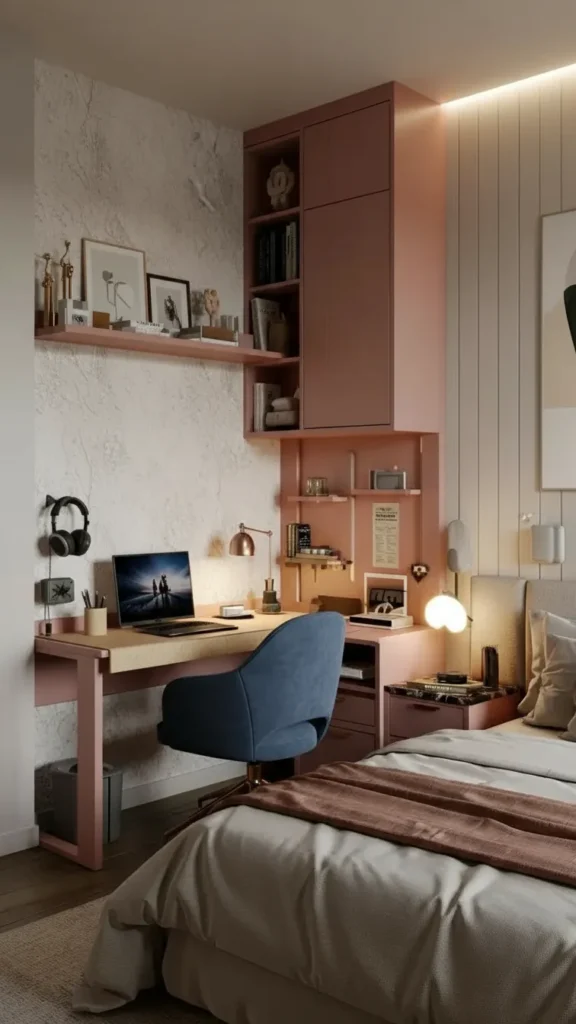
Positioning Against Walls With Vertical Storage
Face the desk toward a wall that can support mounted storage to keep the floor clear.
Wall Setup Strategy:
- Floating shelves above desk for speakers, collectibles, or display items
- Pegboard or slat wall system on one side for controllers, headsets, cables
- Monitor arm mounted to desk to free up surface space
- Wall-mounted power strip to keep outlets accessible but hidden
What Goes On The Wall: Storage, decoration, and cable management. What stays off the floor: Everything possible.
Wall-facing desks in small spaces work better than window-facing setups because you’re utilizing vertical space that would otherwise be wasted.
📌 Pin this small space measurement guide! 📌
Cable Management As Core Design Element
In tight spaces, visible cable chaos makes everything feel more cramped than it actually is.
Cable Control Solutions:
- Built-in cable tray under the desk for horizontal wire routing
- Adhesive cable clips along desk edges and legs
- Cable sleeve or wrap to bundle multiple cords into one clean line
- Power strip mounted to desk underside or wall, not sitting on the floor
The Single-Path Rule: Route all cables along one side of the desk, down one leg, to one power source. Avoid cables crossing the floor in multiple directions.
Why It Works: Clean cable routing makes a small gaming setup look professional instead of improvised, which mentally makes the space feel larger.
Smart Accessory Storage Solutions
Controllers, headsets, and peripherals create visual clutter fast in small setups.
Storage That Keeps Things Accessible:
- Slim rolling drawer unit under one side of desk for accessories
- Headset hook or stand on desk or mounted to wall
- Controller charging dock that displays them vertically
- Small basket or tray for cables, adapters, and small items
Closed Versus Open Storage: Hide what’s not actively in use. Display only 2-3 meaningful items—a favorite figure, a plant, a photo.
Every gaming peripheral should have a designated spot that’s not “piled on the desk.”
PC Tower Placement For Airflow
Desktop PCs need ventilation and accessibility, but they eat floor space.
Tower Positioning Options:
- On ventilated stand beside or under desk (never directly on carpet)
- On desktop if desk is sturdy enough and height allows
- In dedicated cabinet with ventilation holes and easy access for cables
- Wall-mounted using specialized brackets if case supports it
Minimum Clearances:
- 4 inches from wall for rear exhaust fans
- 6 inches from carpet or soft surface
- Easy access to power button and front ports
Laptop Alternative: Gaming laptops eliminate tower placement entirely. Add a vertical stand to minimize desk footprint when not in use.
Maintaining Visual Minimalism
Small-space gaming setups look best when they’re edited down to essentials.
Minimalist Principles:
- Limited color palette: Choose 2-3 colors maximum (black/white, black/wood, white/gray)
- Clean desktop: Keep 60-70% of surface clear when not actively gaming
- Purposeful decor: One framed print, one plant, one sculptural object—not collections
- Consistent finishes: Match hardware and furniture finishes (all black metal, all wood, etc.)
What To Avoid: RGB overkill, multiple small decorations, visible clutter, mismatched furniture styles.
In small spaces, visual simplicity translates directly to feeling like you have more room.
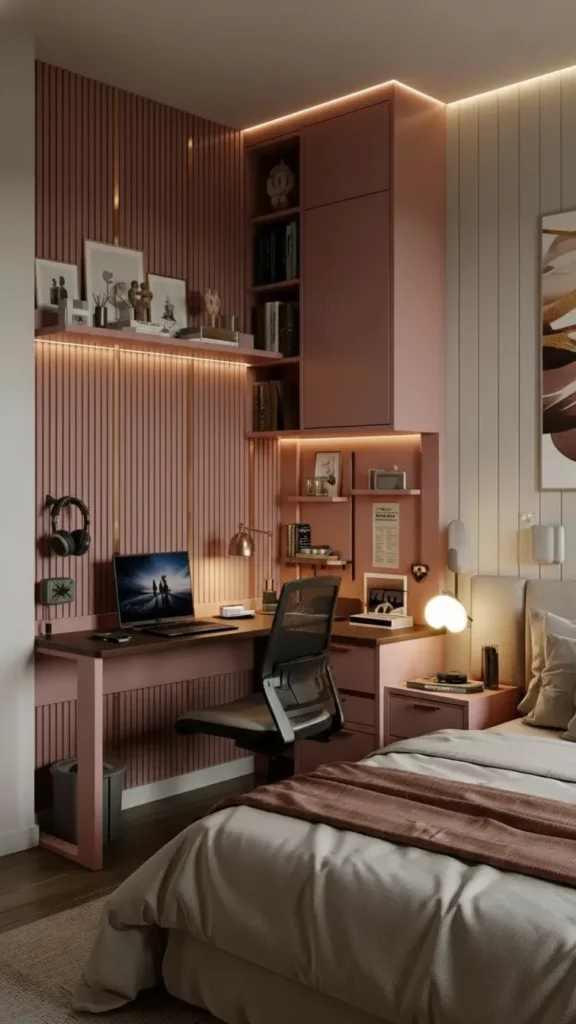
Lighting That Adds Atmosphere Without Bulk
Small gaming spaces need layered lighting that doesn’t take up precious desk or floor space.
Compact Lighting Solutions:
- LED strip behind monitor for bias lighting (reduces eye strain, adds ambiance)
- Small desk lamp with adjustable arm for task lighting
- Wall-mounted sconce if desk lamp takes too much surface space
- Smart bulbs in existing fixtures for color and brightness control
Temperature And Color: Use warm white (2700K-3000K) for general room lighting, and adjustable RGB behind the monitor for gaming ambiance. Avoid harsh overhead-only lighting.
📌 Save this small space setup strategy! 📌
The Fast Reset Routine
Small gaming spaces stay functional only with daily maintenance.
30-Second Reset (After Each Session):
- Hang up headset
- Push chair under desk completely
- Put controller on charging dock or in drawer
- Clear any trash or drink cups
- Straighten keyboard and mouse
Why This Matters: In small bedrooms, a messy desk makes the entire room feel chaotic. A quick reset keeps the space comfortable to be in.
Build the reset into your shutdown routine—it becomes automatic within a week.
Small-space gaming desks succeed when every decision prioritizes function and visual calm over collecting more stuff. The setup should feel intentional and comfortable, never cramped or apologetic.
Small Bedroom Gaming Desk Ideas That Save Space
Gaming desks in small bedrooms need to coexist with sleeping, dressing, and relaxation zones without dominating the room visually or physically. The challenge is creating a dedicated gaming space that feels separate enough for focus but integrated enough that the room still functions as a bedroom. In 2026, the most successful bedroom gaming setups use light finishes, floating storage, and furniture that tucks away when not in use.
Positioning To Preserve Bedroom Flow
Desk placement determines whether your bedroom feels like a room with a desk or a gaming cave with a bed.
Strategic Position Options:
- Shortest wall to leave the longest wall for the bed
- Foot of bed area if room is narrow and rectangular
- Opposite wall from bed to create visual separation between sleep and gaming
- Corner placement to contain gaming zone in one defined area
What To Avoid: Blocking the path from door to closet, positioning where you see the desk from bed (disrupts sleep association), or placing where chair backs into the bed.
Why Placement Matters: Your bedroom should feel restful first, functional second. The desk can’t psychologically take over the space.
Choosing Light Finishes For Visual Breathing Room
Dark, heavy furniture makes small bedrooms feel smaller and more oppressive.
Finish Choices That Open Up Space:
- White or off-white desktops reflect light and recede visually
- Light wood tones (birch, maple, ash) add warmth without weight
- Glass desktops create transparency and openness
- White or light gray metal frames for modern minimal look
When Dark Works: Black desks can work in small bedrooms if walls are light, lighting is excellent, and the desk has clean, minimal lines. Avoid bulky dark furniture.
Accent Strategy: Keep the desk and major furniture light, then add personality through small pops of color—desk mat, LED lighting, or one accent piece.
Floating Shelves For Storage Without Floor Space
Vertical storage keeps gaming accessories organized without eating precious floor area.
Floating Shelf Configuration:
- Above desk: 12-16 inches above desktop for speakers, collectibles, small plants
- Beside desk: Vertical column of shelves for games, controllers, books
- High shelves: Near ceiling for items used infrequently
Shelf Depth: Use 8-10 inch deep shelves for most gaming accessories. Deeper shelves project too far and make rooms feel tighter.
What Goes On Shelves: Speakers (frees up desk space), displayed games or figures (2-3 items max per shelf), books or manuals, decorative objects.
Keep shelves styled minimally—overcrowded shelves create visual noise that makes bedrooms feel cluttered.
📌 Pin this bedroom integration strategy! 📌
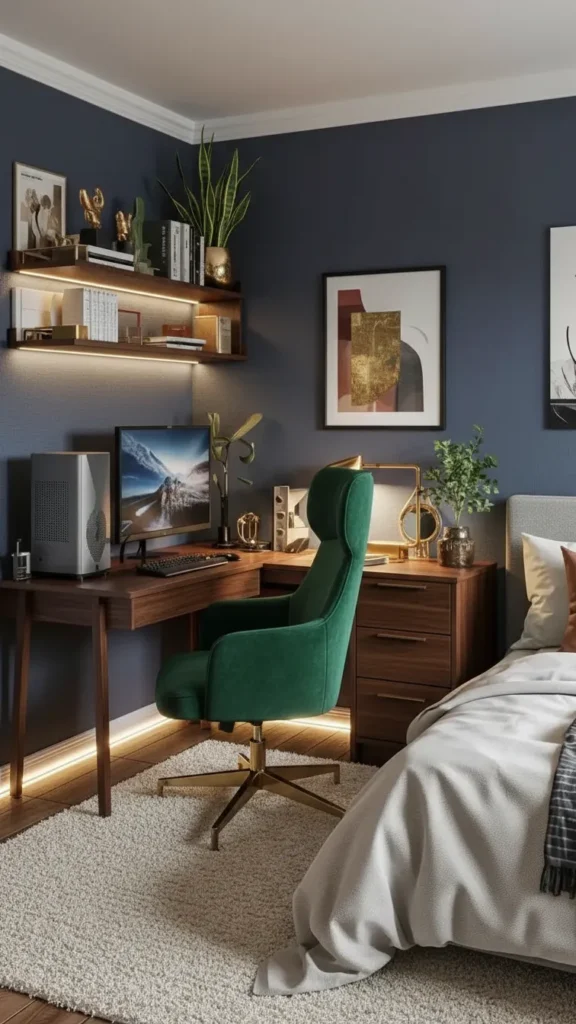
Chairs That Tuck Completely Under Desks
Gaming chairs are bulky. Choose ones that minimize floor footprint when not in use.
Space-Saving Chair Options:
- Armless or low-profile gaming chairs that slide fully under desk
- Compact office chairs with good lumbar support but smaller overall size
- Stools with back support for smallest footprint (less comfortable for long sessions)
Chair Clearance Test: The chair should tuck under the desk with arms (if any) clearing the desktop. If it sticks out 12+ inches, it’s eating walkway space constantly.
Storage When Not Gaming: Push chair completely under desk or against wall to open up floor space during non-gaming hours.
Closed Storage For Couple And Shared Bedrooms
If you’re sharing a bedroom, gaming gear can’t spread everywhere visually.
Discreet Storage Solutions:
- Drawer unit under desk with closed drawers for controllers, cables, accessories
- Cabinet or armoire nearby for larger items like headset stands or extra monitors
- Storage ottoman at foot of bed for overflow gaming gear
- Closed bins on shelves instead of open display
Why Closed Storage Matters: Your partner (or roommate) shouldn’t have to look at gaming clutter constantly. Respect shared space by keeping it visually calm.
Daily Practice: Put gear away in closed storage after gaming sessions. The bedroom should feel like a bedroom, not a GameStop.
Wall Organization For Teen Rooms
Teen gaming setups benefit from flexible, visible organization that keeps gear accessible.
Teen-Friendly Wall Systems:
- Pinboard or cork board above desk for posters, schedules, controller storage
- Slat wall with hooks for headsets, charging cables, backpack
- Small wall-mounted shelf for current games and accessories
- Magnetic strip for holding small metal items (tools, clips)
Why Visible Works For Teens: They’re more likely to use and maintain organization they can see. Closed drawers become black holes.
Balance: Keep wall organization functional, not decorative chaos. Use it for gear you actually need daily.
Layered Lighting To Separate Gaming From Sleep
Bedroom gaming desks need lighting that shifts between high-energy gaming and wind-down relaxation.
Three-Layer Bedroom Lighting:
- Overhead fixture on dimmer for general room illumination
- Desk task light for focused gaming without lighting entire room
- Bias lighting behind monitor that provides ambiance during gaming
Nighttime Gaming: Use only desk and monitor lighting, keep overhead off. This signals to your brain that the bed area is for sleep, desk area is for activity.
Smart Bulbs Advantage: Programmable bulbs let you create “gaming mode” (bright, focused) and “bedtime mode” (warm, dim) with one command.
Creating Psychological Separation
Mental boundaries help you shift between gaming focus and bedroom relaxation.
Separation Techniques:
- Area rug under desk to visually define gaming zone
- Different wall color or accent wall behind desk
- Lighting distinction (bright at desk, soft in bed area)
- Physical divider like bookshelf or partial room divider if space allows
Why It Works: Your brain associates specific zones with specific activities. Clear boundaries support better focus and better sleep.
Without separation, the bedroom feels like one mixed-use chaos zone instead of a room with distinct purposes.
📌 Save this bedroom harmony guide! 📌
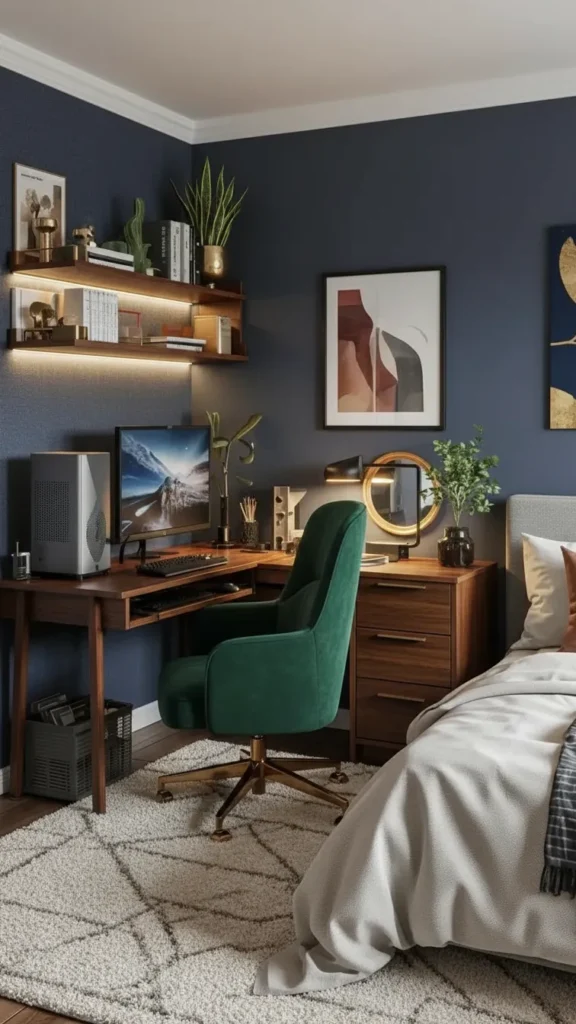
Quick Desk-To-Sleep Transition Routine
Bedrooms with gaming desks need fast transitions between modes.
End-Of-Session Routine (2 minutes):
- Turn off monitor and LED lighting
- Hang headset or put in drawer
- Push chair under desk
- Close laptop or cover desktop equipment
- Switch room lighting to warm, dim setting
Why The Ritual Matters: Physical actions signal mental transitions. The routine tells your brain gaming time is over, relaxation begins.
Consistent transitions improve both gaming focus and sleep quality.
When Desks Double As Vanities Or Study Zones
In small bedrooms, gaming desks often serve multiple purposes.
Dual-Purpose Design:
- Clean desktop surface that works for makeup, homework, or gaming equally
- Portable storage for gaming gear that moves aside during other uses
- Neutral aesthetic that doesn’t scream “gaming only”
- Good lighting that serves all purposes (task lamp plus ambient)
Transition Strategy: Gaming accessories in one drawer, study supplies in another, beauty products in a third. Each use has designated storage.
Multi-use desks work when you’re willing to do a 60-second setup before each activity type.
Small bedroom gaming desks succeed when they feel like integrated parts of the room, not equipment dumps that happen to be near a bed. The space should support all bedroom functions, not just one.
Tiny Gaming Desk Ideas For Compact Rooms
In genuinely tiny rooms—under 100 square feet or awkwardly shaped spaces—gaming desks need to earn their footprint by serving multiple functions and taking up minimal floor space. The key is choosing furniture that works vertically, mounts to walls, or has extremely efficient footprints. In 2026, tiny gaming setups prioritize slim profiles, floating installations, and ruthless editing of what equipment actually needs to be present.
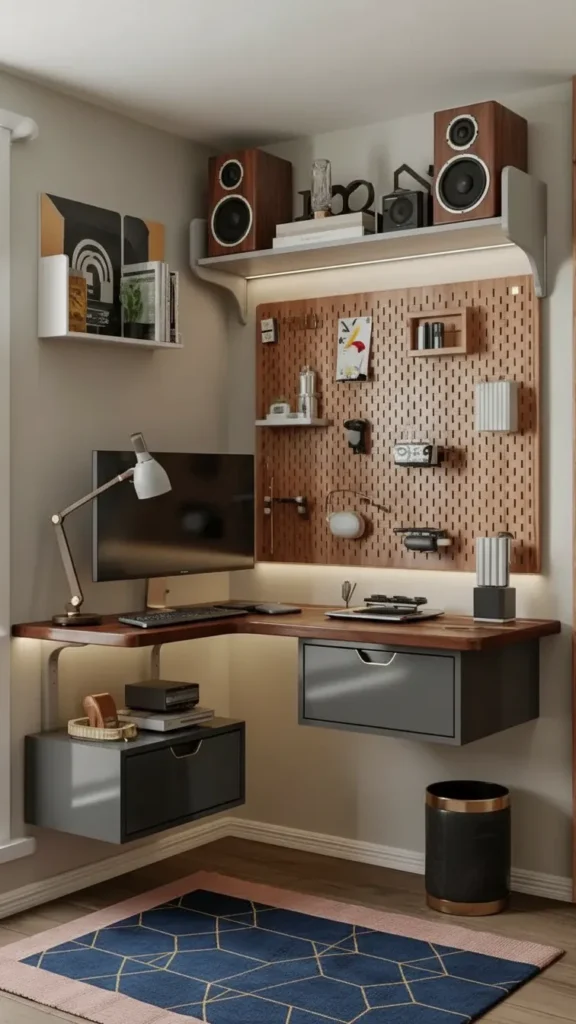
Wall-Mounted Floating Desks For Zero Floor Footprint
Floating desks eliminate legs and base structures, opening up precious floor space.
Floating Desk Configuration:
- Solid wood or composite board (40-48 inches wide, 20-22 inches deep)
- Heavy-duty brackets or cleat system mounted into wall studs
- Cable management through wall or down to single point
- Weight capacity of 100+ pounds for monitor, PC, accessories
Installation Requirements:
- Mount into at least two wall studs (16 inches apart)
- Use lag bolts, not drywall anchors
- Ensure level installation with torpedo level
- Test weight capacity before adding equipment
Advantage: Floor underneath stays completely clear for cleaning, storage, or visual openness. Room feels less crowded immediately.
Extremely Slim Desktop Dimensions
In tiny rooms, every inch of depth matters. Choose the minimum viable desk size.
Minimal Depth Options:
- Laptop-only: 18-20 inches deep sufficient
- Small monitor (24″ or less): 20-22 inches deep works
- Standard monitor (27″): 24 inches deep minimum
Width Requirements:
- Absolute minimum: 36 inches for keyboard and mouse
- Functional: 40-48 inches allows some accessories
- Comfortable: 48-54 inches if room dimensions allow
Testing Depth: Sit at potential desk location and extend arms. Your comfortable reach distance determines ideal depth.
Don’t buy deeper desks than you need—wasted depth is wasted room space.
📌 Pin this tiny space sizing guide! 📌
Multi-Function Desks For Room Efficiency
Desks that serve 2-3 purposes justify their footprint in tiny spaces.
Dual-Purpose Options:
- Gaming + study desk: Clean surface works for homework and gaming equally
- Gaming + vanity: Add mirror and small organizer for dual use
- Gaming + dining: Foldable desk that serves meals when not gaming
Storage Integration:
- Built-in drawer for multi-use supplies
- Slide-out keyboard tray that converts to eating surface
- Removable desktop organizers that swap based on current use
Why Multi-Function Matters: Tiny rooms can’t accommodate single-purpose furniture. Everything must work overtime.
Monitor Arms For Desktop Freedom
Fixed monitor stands eat 8-12 inches of desk depth. Arms recover that space.
Monitor Arm Benefits:
- Adjustable positioning for perfect viewing angle
- Desktop clearance underneath monitor for keyboard, notebook, or supplies
- Easy cable routing through arm instead of across desk
Mounting Options:
- Clamp mount: Attaches to desk edge (requires 1.5-3 inches edge thickness)
- Grommet mount: Through-hole in desktop (requires drilling)
- Wall mount: Doesn’t touch desk at all (best for tiny spaces)
Weight Capacity: Match arm rating to your monitor weight plus 50% safety margin.
Monitor arms are expensive ($40-150) but transform tiny desk functionality dramatically.
Vertical Storage Maximization
When horizontal space is limited, build storage upward aggressively.
Wall Storage Systems:
- Tall narrow bookshelf (12 inches wide) beside desk for games and supplies
- Pegboard full wall with hooks, baskets, and small shelves
- Floating shelves at multiple heights (18, 36, 54 inches above desk)
- Wall-mounted cabinets with doors for hidden storage
What Goes Vertical: Speakers, collectibles, games, extra controllers, books, decorative items—everything that doesn’t need to be on the desktop.
Clearance Rule: Leave 12-16 inches between desktop and lowest shelf to prevent hitting your head or feeling boxed in.
Laptop Gaming Setups For Ultimate Flexibility
Gaming laptops eliminate desktop towers entirely, saving massive space.
Laptop Station Essentials:
- Vertical laptop stand when using external monitor (footprint: 3×8 inches)
- External keyboard and mouse for ergonomic positioning
- Single monitor on arm or stand
- Minimal accessories since laptop has everything built-in
Performance Consideration: Modern gaming laptops (RTX 4060+) handle most games well. Trade slight performance for major space savings.
Cooling: Use laptop stand that elevates for airflow. Add laptop cooling pad if running intensive games for hours.
Minimalist Equipment Philosophy
Tiny rooms require brutal honesty about what equipment you actually use.
The Essentials-Only Approach:
- One monitor (or laptop screen) instead of dual monitors
- Wireless peripherals to eliminate extra cables
- Compact speakers or headphones only (no large speaker system)
- Minimal desk accessories—one small plant or figure maximum
Storage Assessment: If you haven’t used an accessory in 30 days, it doesn’t belong on or near the desk. Store it elsewhere or sell it.
Why Minimalism Matters: In tiny spaces, visual clutter creates actual stress. Less equipment means more mental breathing room.
📌 Save this minimalist tiny setup! 📌
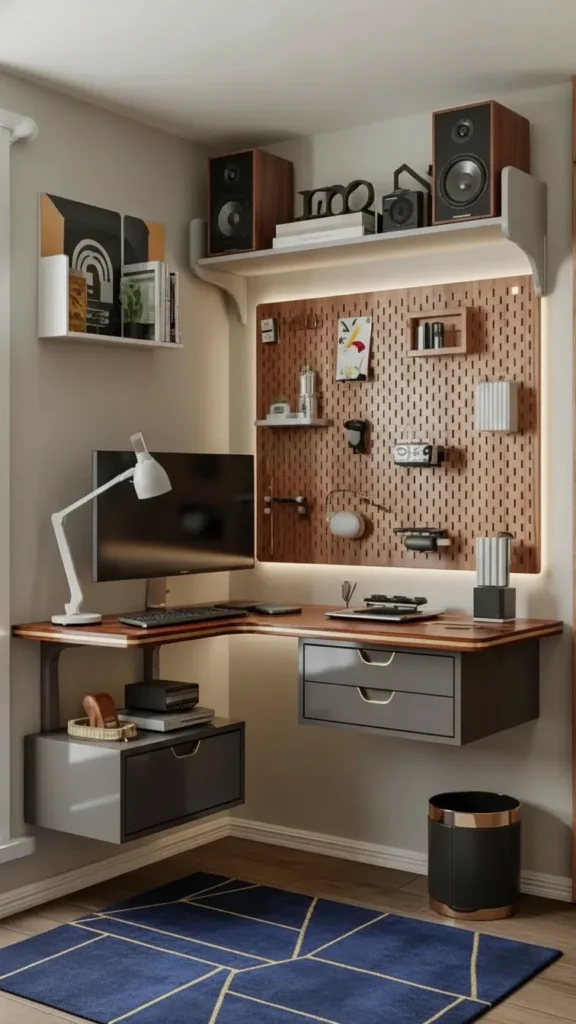
Light Colors And Reflective Surfaces
Color and material choices dramatically affect how cramped tiny rooms feel.
Space-Expanding Choices:
- White or light gray desks reflect light and recede visually
- Glass desktop (if practical) creates transparency
- Light wood tones add warmth without darkness
- Mirrors on walls near desk bounce light
What To Avoid:
- Black furniture in already-dark tiny rooms
- Heavy wood finishes that absorb light
- Busy patterns or multiple colors
Lighting Support: Combine light furniture with excellent lighting—natural light during day, warm LED at night.
Fold-Down Or Hideaway Desk Options
In the smallest spaces, desks that disappear when not in use create maximum flexibility.
Hideaway Desk Types:
- Wall-mounted fold-down: Desktop hinges flat against wall
- Murphy desk: Desk folds into cabinet or wall unit
- Slide-out desk: Desk surface pulls out from bookshelf or cabinet
Trade-Offs: No permanent workspace means setup/breakdown every session. Only practical if you game 1-2 hours daily, not 4+ hours.
When To Use: Studio apartments, shared spaces, or rooms where the desk genuinely can’t stay deployed 24/7.
Strategic Equipment Placement
In tiny setups, where each item sits matters enormously.
Placement Priorities:
- Monitor centered on desk for optimal viewing
- Tower (if desktop PC) under desk on stand, not on desktop
- Peripherals (keyboard, mouse) within comfortable reach
- Frequently used items on desktop, everything else vertical
The 70% Clear Rule: Keep 70% of tiny desk surfaces clear when not actively gaming. Clutter makes tiny spaces feel suffocating.
Test your layout for a week. If you’re constantly moving things to make space, your desk is too small or too cluttered.
Tiny gaming desk setups succeed when every decision prioritizes space efficiency and visual simplicity. The goal is creating a functional gaming zone that doesn’t make the room feel like a closet.
Gaming Desk Ideas For Bedrooms With Limited Layouts
Limited layouts—rooms with awkward window placement, multiple doorways, closets that restrict furniture positioning, or unconventional shapes—require problem-solving approaches rather than standard furniture arrangements. The challenge is fitting a gaming desk into spaces where traditional setups simply don’t work due to traffic patterns, door swings, or natural light creating screen glare. In 2026, the most successful limited-layout solutions involve custom positioning, flexible furniture, and working with room architecture instead of fighting it.
Mapping Door Swings And Traffic Patterns First
Before placing any furniture, understand how people move through the room.
Essential Traffic Analysis:
- Trace door swing paths with painter’s tape on floor
- Mark closet door clearance zones
- Identify main walkway from entry to bed
- Note window positions relative to screen glare
Common Layout Killers:
- Desk blocking closet access
- Chair back preventing door from opening fully
- Setup positioned where you’ll walk through constantly
- Monitor facing window creating unusable glare
Solution: Map the “no furniture” zones first. Position desk in remaining viable space, even if it feels unconventional.
Working With Natural Light Without Screen Glare
Windows are both assets and problems for gaming setups in limited layouts.
Managing Daylight:
- Desk perpendicular to window: Side light illuminates without screen glare
- Monitor facing away from window: Prevents backlight washing out screen
- Blackout curtains or shades: Control light during day gaming sessions
- Adjust based on sun path: East windows matter mornings, west windows afternoons
When Window Placement Forces Compromise: Use anti-glare monitor screen protector or matte-finish monitor. Adjust monitor angle to minimize reflection.
Ideal Setup: Window to your left or right (if right-handed, left window provides light without shadow from your body).
Utilizing Awkward Nooks And Alcoves
Room irregularities often create perfect built-in desk opportunities.
Niche Desk Installation:
- Measure niche dimensions precisely
- Custom-cut desktop to fit exactly (or use adjustable shelving system)
- Mount to walls on two or three sides for stability
- Add shelving above for vertical storage
Advantages:
- Built-in appearance without custom carpentry costs
- Desk feels integrated into architecture
- Often positions desk out of main traffic flow naturally
DIY Approach: Use butcher block or plywood cut to size, mounted on cleats or brackets into wall studs.
📌 Pin this limited layout problem-solving! 📌
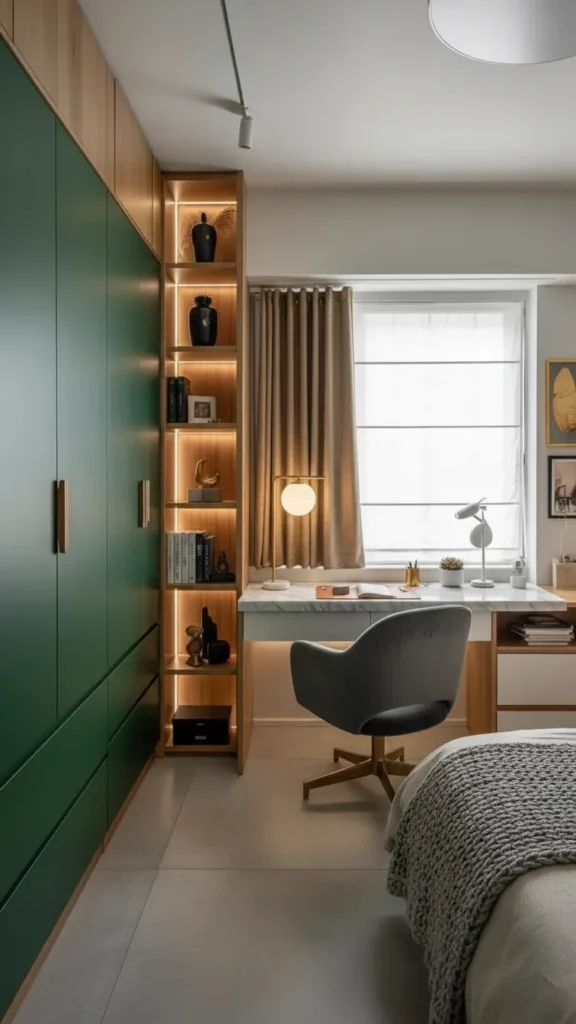
Narrow Desk Plus Tall Storage Strategy
When width is limited, compensate with height for storage needs.
The Vertical Compensation:
- Slim desk (40-48 inches wide, 20 inches deep)
- Tall bookshelf or tower (72+ inches height) beside or behind desk
- Wall-mounted shelves above desk surface
- Pegboard or slat wall on adjacent wall
Storage Distribution:
- Desktop: Only active-use items
- Shelves 0-30 inches above desk: Frequently accessed items
- Shelves 30-60 inches: Moderate-use items
- Shelves 60+ inches: Display or rarely used items
This configuration works in rooms where you can’t spread furniture out horizontally.
Color Strategy For Visually Opening Limited Spaces
Paint and finish colors affect how cramped unconventional layouts feel.
White Desk Setups:
- White desktop with light wood shelves creates Scandinavian openness
- White walls reflect maximum light in dark or awkward spaces
- White monitor bezels (if available) reduce visual weight
Black Desk Setups:
- Black desk with wood top adds sophistication without heaviness
- Black metal frame with glass or light wood surface
- Matte black finishes to prevent glare and reflection
Mixing Approach: Black desk + white walls + light wood accents creates contrast and depth without overwhelming small or odd spaces.
Adding Texture Without Visual Weight
Limited layouts need personality without adding bulk or chaos.
Lightweight Personality:
- One textured rug under desk to define zone
- Simple curtains in natural fabric (linen, cotton)
- Wood desk top even if frame is metal
- Matte finishes on furniture to reduce glare
What To Avoid: Multiple patterns, heavy fabrics, ornate furniture details, or cluttered decorative collections.
In challenging layouts, simplicity reads as intentional design rather than making-do.
Strategic Lighting For Awkward Spaces
Limited layouts often have poor natural light or difficult lighting positions.
Flexible Lighting Solutions:
- Adjustable desk lamp that moves where needed
- Wall sconces that don’t take desk or floor space
- LED strips behind monitor and under shelves
- Floor lamp positioned in dead corner space
Multiple Source Strategy: You need 2-3 controllable light sources minimum. Awkward rooms rarely have one perfect lighting position.
Color Temperature: Warm white (2700K-3000K) makes limited spaces feel cozier and less cave-like.
Using Dividers To Create Defined Zones
In open or irregularly shaped bedrooms, physical dividers help establish the gaming area.
Divider Options:
- Bookshelf perpendicular to wall: Creates visual separation without closing off space
- Curtain panel: Soft division that can open/close
- Area rug: Defines gaming zone without physical barrier
- Lighting change: Different light sources for gaming versus sleeping area
Why Zoning Works: Even in limited layouts, psychological separation between gaming and other activities improves focus and room functionality.
Don’t block light or airflow with dividers—they should define, not isolate.
📌 Save this layout challenge solutions! 📌
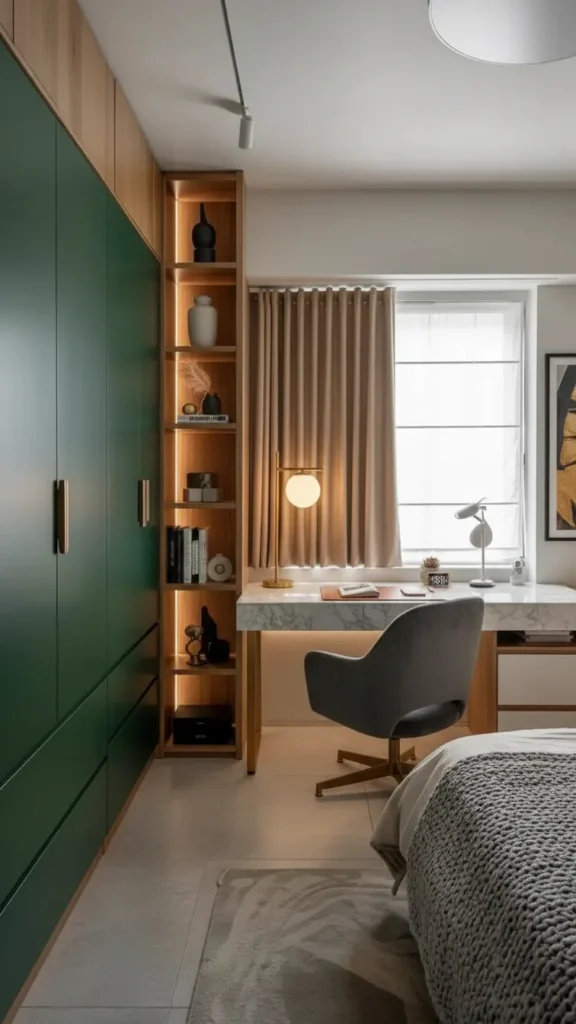
Girl And Couple Bedroom Customization
Shared bedrooms with limited layouts need aesthetics that work for everyone.
Shared Space Considerations:
For Couple Bedrooms:
- Neutral desk colors (white, light wood, gray) that match bedroom aesthetic
- Closed storage for all gaming gear so it’s not constantly visible
- Quiet peripherals (silent keyboard and mouse for late-night gaming)
- Minimal RGB lighting unless partner enjoys it too
For Girl-Focused Gaming Rooms:
- Soft pink or purple accents through desk mat, LED colors, or small decor
- Desk that matches bedroom furniture style (not industrial if bedroom is soft/feminine)
- Organized appearance with matching storage containers and cable management
The Principle: Gaming setup should enhance the room’s existing aesthetic, not fight against it or dominate it visually.
Hardware Finish Consistency
In visually complex layouts, consistent hardware creates cohesive calm.
Single Finish Strategy:
- All black: Desk frame, monitor stand, shelving brackets, lamp base
- All brushed metal: Chrome or brushed nickel throughout
- All matte: Reduces glare and creates sophisticated look
Why It Matters: Mixed finishes (black + chrome + brass) create visual noise. Limited layouts can’t absorb that chaos well.
Choose one finish and stick to it across all hardware and furniture in the gaming zone.
Limited-layout gaming desks succeed when you treat the room’s quirks as design opportunities rather than problems to overcome. Work with the architecture, not against it, and the setup will feel intentional instead of compromised.
Corner Gaming Desk Ideas For Small Spaces
Corner desk setups utilize the most commonly wasted space in bedrooms—the corners—turning dead zones into highly functional gaming stations. When done correctly, corner configurations create contained gaming areas that don’t disrupt room flow while often providing more usable desk surface than straight desks of similar footprint. In 2026, successful corner gaming setups prioritize proper proportions, smart cable management, and thoughtful peripheral placement to avoid the cramped, boxed-in feeling that poorly designed corner desks create.
Understanding Corner Desk Geometry
Not all corner desks work equally well. Shape and proportion determine comfort and functionality.
Corner Desk Shapes:
- L-shaped: Two perpendicular sections, typically 48-60 inches on each side
- Triangular: Cuts across corner at 45-degree angle
- Curved corner: Rounded front edge for comfort
- Wedge-shaped: Wider at front, narrower at corner
Best For Small Spaces: Triangular or curved designs use corners efficiently without projecting too far into the room.
Avoid: Massive L-shapes that create huge footprints. In small rooms, keep each leg under 55 inches.
Proper Chair Clearance In Corner Setups
Corners can trap you if chair movement isn’t planned correctly.
Chair Swing Requirements:
- 360-degree rotation space: Minimum 42-inch diameter circle
- Pull-back clearance: 36 inches from desk edge to nearest wall or furniture
- Comfortable entry/exit: Ability to get in and out without awkward maneuvering
Testing Before Buying: Sit in your gaming chair in the corner position. Swivel left and right. Ensure you’re not hitting walls or furniture.
Solution For Tight Corners: Choose chairs with smaller bases (22-24 inch diameter) rather than large racing-style chairs (28+ inches).
Centering Monitors In Corner Configurations
Monitor positioning in corners requires intentional setup to avoid neck strain.
Optimal Monitor Placement:
- Centered in corner: Not pushed to one side
- Arm’s length away: 20-30 inches from sitting position
- Eye level: Top of screen at or slightly below eye level
- Monitor arm advantage: Allows perfect positioning without permanent mounting
Dual Monitor Setup: Angle both monitors toward you at approximately 30 degrees each. Avoid extreme side angles that cause neck rotation.
Triple Monitor Consideration: Only works in corners if desk is large enough (60+ inches each side) to provide proper viewing distance.
📌 Pin this corner setup positioning! 📌
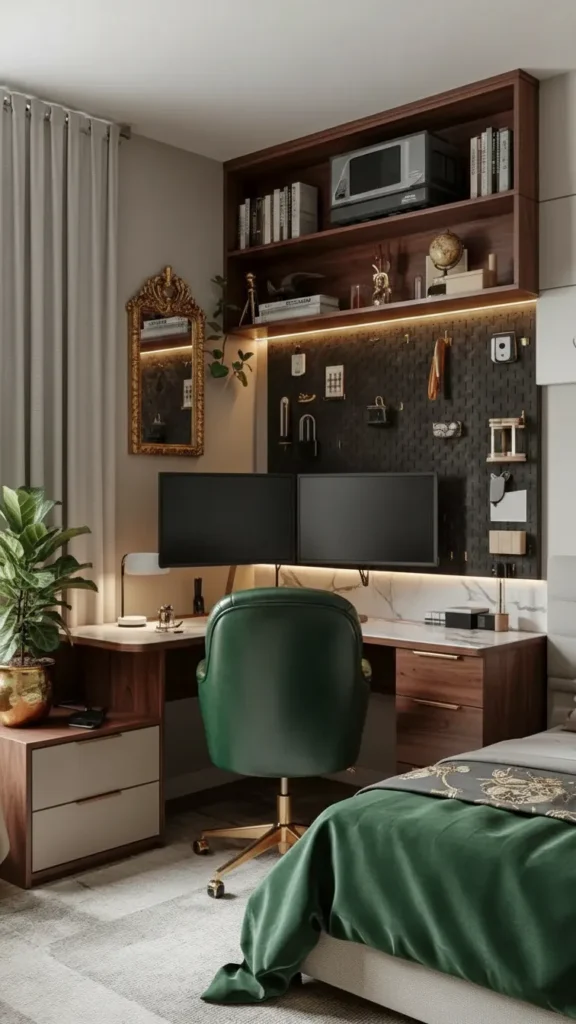
Vertical Storage On Adjacent Walls
Corner desks touch two walls—use both for vertical organization.
Two-Wall Storage Strategy:
Wall One (Behind Monitor):
- Floating shelves for speakers or display
- LED strip for ambient backlighting
- Large artwork or poster
Wall Two (Beside You):
- Pegboard for headsets, controllers, cables
- Narrow tower shelf for games and supplies
- Wall-mounted hooks for accessories
Why Two-Wall Works: Distributes visual weight and keeps storage balanced instead of overwhelming one sightline.
Height Distribution: Keep frequently used items at 12-36 inches above desk surface. Display items can go higher.
Cable Management From Two Sides
Corner desks have cables coming from multiple directions—plan routing carefully.
Corner Cable Strategy:
- Single power strip mounted to wall behind corner point
- All cables route to corner: Down legs, behind desk, to central power point
- Cable clips along desk edges on both sides
- Cable sleeve or wrap where multiple cords bundle together
Under-Desk Cable Tray: Mount J-channel or basket tray under desktop following both desk legs. Cables stay hidden but accessible.
Wireless Option: Use wireless keyboard, mouse, and headset to minimize cables. Only monitor and PC power remains.
Preventing The Boxed-In Feeling
Poorly designed corner setups feel like you’re facing into a penalty box.
Openness Strategies:
- Lower shelving: Don’t build walls of storage on both sides above desk
- Glass or light wood desktop: Creates visual lightness
- Adequate lighting: LED strips plus desk lamp prevents cave effect
- Mirrors on one wall: Bounces light and creates depth perception
Negative Space: Leave one wall relatively clear with just one or two elements. Both walls full of shelves feels oppressive.
Room View: Position corner so you can see door or window from seated position if possible. Facing into corners with your back to the room triggers anxiety in some people.
Triangular Desk Advantages
Triangular corner desks often work better than L-shapes in small spaces.
Why Triangular Works:
- Shorter wall footprint: Projects less into room than L-shape legs
- Natural monitor centering: Corner apex is perfect monitor position
- Comfortable arm resting: Angled edges follow natural arm position
- Easier cable routing: Single corner point for all cables
Sizing: 40-50 inches wide at front, 24-28 inches deep at sides works for most gaming setups.
DIY Option: Cut desktop in triangle shape yourself. Mount on corner brackets or small legs.
Incorporating Plants And Comfort Elements
Corner setups need softening elements to avoid sterile, closed-in feelings.
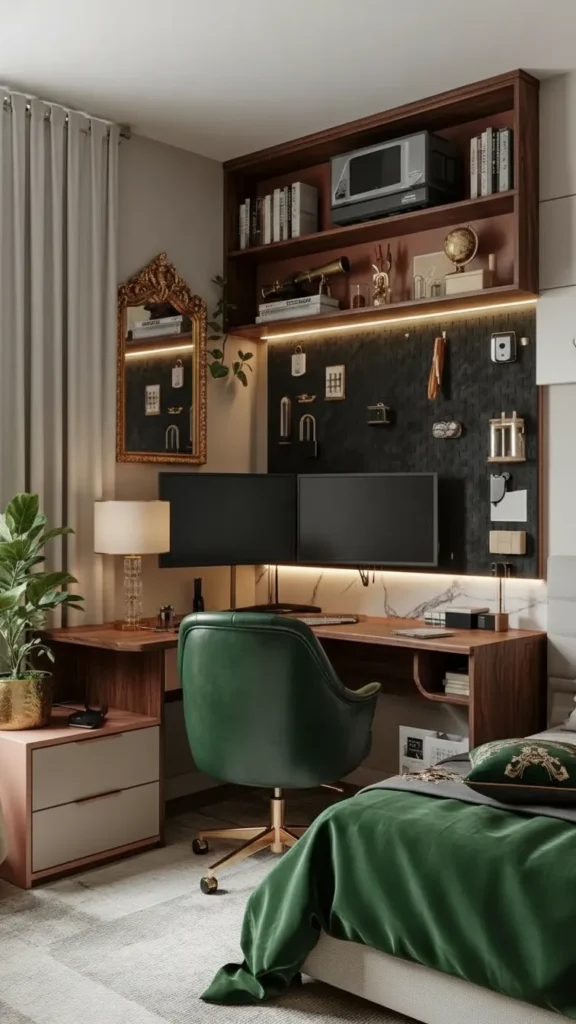
Comfort Additions:
- Small plant on one desk corner or shelf
- Soft rug under desk area to define zone and add texture
- Textured curtain if window is in or near corner
- Warm lighting from LED strips and task lamp
Why Comfort Matters: Corners can feel isolating. Soft elements create coziness instead of confinement.
Scent: Small candle or essential oil diffuser on nearby shelf adds sensory comfort during long sessions.
📌 Save this corner comfort strategy! 📌
L-Shape For Multi-Monitor And Streaming Setups
If you need serious desk space for streaming equipment or multiple monitors, L-shapes provide it.
L-Shape Configuration:
- Primary gaming side: 48-60 inches for monitor(s), keyboard, mouse
- Secondary side: 40-50 inches for streaming equipment, secondary PC, or work laptop
Who Needs L-Shape: Streamers, content creators, people working from home who game at same desk.
Who Doesn’t: Single-monitor casual gamers. You’re wasting space and money on unused surface area.
Corner Desk Materials For Durability
Corner desks take concentrated wear in high-traffic home areas.
Material Considerations:
- Solid wood or wood veneer: Durable, repairable, ages well
- Tempered glass: Modern look, shows fingerprints, less durable
- Laminate over MDF/particle board: Affordable, clean easily, less durable long-term
- Butcher block: Extremely durable, needs occasional re-oiling
Weight Capacity: Corner desks must support 100+ pounds (monitors, PC if on desk, leaning weight). Check specifications before buying.
Finish: Matte or satin finishes hide fingerprints and scratches better than high-gloss.
Color And Aesthetic Integration
Corner gaming desks need to match or complement bedroom decor.
Color Strategies:
- Black desk: Works in modern, minimalist, or masculine bedrooms
- White desk: Fits Scandinavian, bright, or feminine aesthetics
- Wood desk: Natural tones work with nearly any style
- Gray desk: Neutral compromise between black and white
Accent Options:
- Green desk mat or accessories: Adds natural, calming color
- Pink lighting or accessories: Softens setup for female-focused rooms
- RGB lighting: Keeps desk neutral, adds changeable color through lights
Match corner desk to existing bedroom furniture finishes for cohesive appearance.
Corner gaming desk setups succeed when they feel like intentional design features that enhance room corners, not desperate attempts to cram furniture into leftover space. The setup should feel contained and organized, never cramped or claustrophobic.
Conclusion
Creating a gaming desk that actually works in a modern bedroom or small space isn’t about compromising your setup—it’s about designing smarter with the space you have. The difference between a gaming corner that feels cramped and chaotic versus one that feels intentional and comfortable comes down to planning clearances, managing cables, choosing appropriate furniture scale, and being honest about what equipment you actually need versus what just creates clutter.
Start with your specific challenge—is it a tiny room, an awkward layout, a shared bedroom, or just limited floor space? Choose the approach from this guide that solves your particular problem, then build from there with proper measurements, smart storage, and lighting that makes the space feel bigger than it is. Remember that the best gaming desk is one you can use comfortably for hours without feeling like you’re fighting your room. Measure carefully, invest in good seating and lighting, and keep the setup edited down to essentials. Your gaming space should support your sessions and enhance your room, not take it over completely.

“I share simple, beautiful and affordable home decor ideas to help you style every corner of your home with ease.