

Your standing desk could be the single change that transforms how you feel at the end of every workday—less stiff, more energized, actually looking forward to tomorrow instead of dreading another eight hours in the same position. In 2026, standing desks at home aren’t just about height adjustment anymore; they’re about creating flexible workspaces that look intentional, feel comfortable, and support your body through natural movement without making your office look like a corporate gym. Whether you’re converting a spare room into a dedicated office, carving out a corner in your bedroom, or positioning a desk in front of a window to capture natural light, the right standing desk setup can mean the difference between sustainable productivity and constant discomfort.
I’ve watched standing desk design evolve from clunky converters piled on existing furniture to sleek, integrated solutions that actually enhance room aesthetics. The 2026 approach is about more than just buying an adjustable frame—it’s about planning your entire routine around flexibility, managing cables so the space looks clean from every angle, and creating ergonomic positions that work for both sitting and standing without constant readjustment. In this guide, I’m breaking down five essential standing desk approaches that cover everything from aesthetic integration to window placement strategies to ultra-simple solutions that require minimal decision-making. Each section gives you the exact framework to build a standing workspace that supports your health without sacrificing style or function.
Standing Desk For Home Office In 2026
Standing desks in 2026 prioritize flexibility and visual calm over purely mechanical height adjustment. The best setups create natural work zones—a primary area for keyboard and monitor, a secondary space for notes or a laptop stand—that support movement without making the room feel crowded or overly technical.
The key is viewing the standing desk as part of your room’s design story, not a medical device dropped into a space. When planned thoughtfully, a standing desk allows you to stretch, shift position, and walk around even in smaller rooms, while maintaining an aesthetic that looks intentional from every angle, especially the doorway.
Design Your Work Zones Strategically
A shaped or well-organized standing surface creates natural task areas.
- Primary zone for keyboard, mouse, and main monitor at optimal height
- Secondary zone for notebooks, tablet stand, or reference materials
- Clear walking space behind the desk (minimum 30 inches) for standing movement
- Visual sightlines from the door matter—neat outlines make the room feel professional
These zones prevent the desk from dominating the room while supporting varied work positions.
Choose Surface Materials That Soften Technology
The desktop material dramatically affects how technical the room feels.
- Wood or wood veneer tops warm up screens and equipment visually
- Matte finishes reduce glare and prevent the surface from looking too slick
- Neutral tones (walnut, oak, white, light gray) integrate with home décor
- Avoid glossy black which shows every fingerprint and cable
A natural or neutral surface makes the standing desk feel like furniture, not office equipment.
Implement Smart Storage Solutions
Standing desk setups need storage that doesn’t interfere with movement.
- Narrow storage cabinet or low credenza keeps supplies accessible but hidden
- Wall shelves above the desk for light items you grab frequently
- Keep shelving simple to maintain open standing area
- Closed storage for cables, adapters, and tech accessories
Storage placed to the sides rather than behind you prevents reaching and maintains the clean standing zone.
Pin this standing desk foundation! 📌
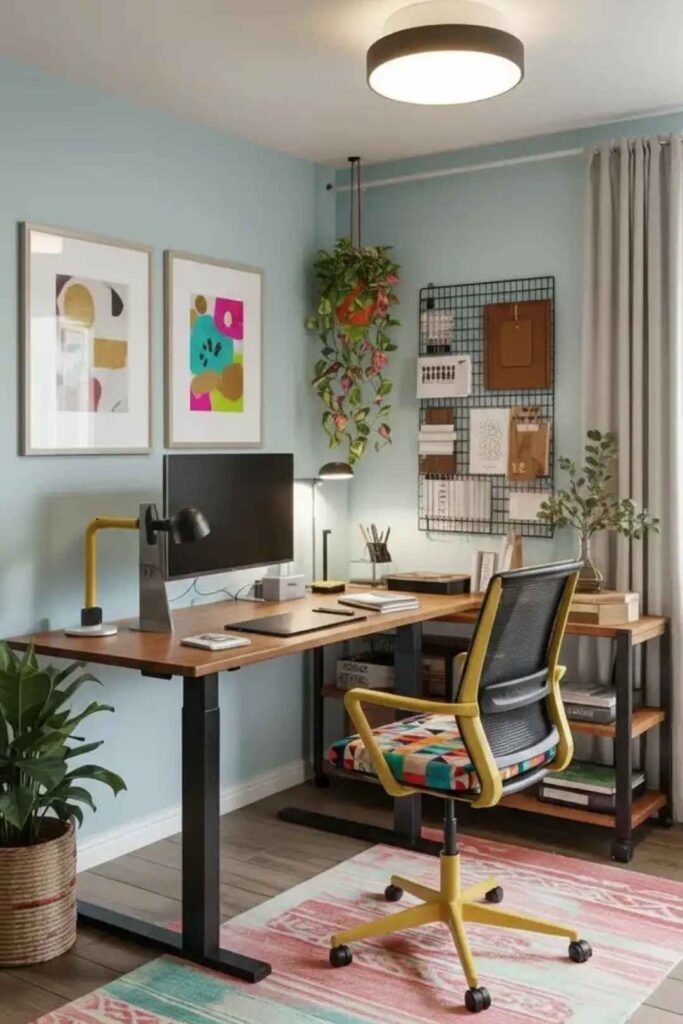
Balance White Desks With Warm Elements
White standing desks can look sterile without thoughtful styling.
- Woven or textured rug under the standing area adds warmth
- Upholstered task chair in fabric (not mesh) for sitting periods
- Small plant on a stand (not on desktop) adds life
- Wood accents in shelves, frames, or accessories balance the white
These warm materials prevent the office from feeling like a medical facility.
Plan Cable Management From the Start
Cables are more visible at standing height and need intentional management.
- Leg cover or cable sleeve hides the vertical cable run from desk to floor
- Under-desk cable tray organizes power strips and excess cord length
- Single cable drop point to the wall outlet reduces visual clutter
- Cable clips keep cords from dangling during height adjustments
Clean cable routing is essential—messy cords destroy the intentional look at every glance.
Position Monitor at Proper Eye Level
Monitor height affects both ergonomics and room aesthetics.
- Top of screen at or slightly below eye level when standing
- Arm’s length distance (20-26 inches) from your eyes
- Monitor arm allows easy adjustment between sitting and standing
- Avoid laptop-only setups which force neck strain in standing position
Proper monitor positioning prevents the hunched posture that negates standing benefits.
Create a Standing Routine, Not Just a Desk
The biggest upgrade isn’t the desk—it’s how you use it.
- Alternate positions every 30-45 minutes to prevent fatigue
- Use a footrest or anti-fatigue mat for standing comfort
- Neutral wrist position at keyboard prevents strain
- Start with short standing periods (15-20 minutes) and build gradually
The routine matters more than the desk’s features—even the best standing desk fails without intentional use.
Save this ergonomic setup guide! 📌
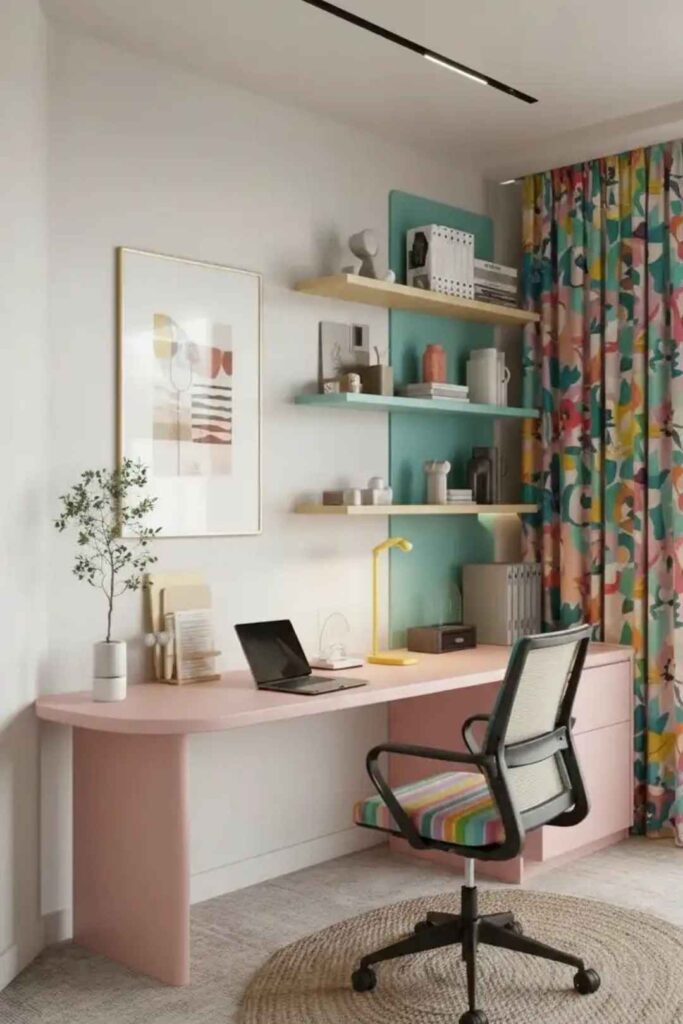
Upgrade Lighting for Position Changes
Lighting needs change when you move between sitting and standing.
- Task lamp with adjustable arm eliminates glare at different heights
- Eliminate harsh overhead lights that create shadows when standing
- Layer ambient lighting to reduce contrast in the room
- Test lighting at both positions before finalizing placement
You notice glare and shadows more when changing positions—lighting that works sitting may fail standing.
Measure Your Room and Body First
Create a measurement checklist before buying furniture.
- Optimal monitor distance for your vision (typically 20-30 inches)
- Clearance behind chair (minimum 36 inches) for pulling out and standing
- Power outlet locations to plan cable routing paths
- Desk height range based on your standing and sitting elbow height
These measurements prevent the common mistake of buying a desk that doesn’t fit your body or your room.
Determine Your Primary Work Mode
Your workflow affects desk and accessory choices.
- Laptop-first setup: needs laptop stand and external keyboard/mouse
- Monitor-first setup: laptop can sit to the side or closed in a stand
- Dual monitor setup: requires wider desk (60+ inches) and deeper surface
- Converter vs. full desk: converters work temporarily; full desks look permanent
Knowing your primary mode before shopping saves money on accessories that don’t fit your actual workflow.
Home Office Standing Desk Aesthetic Trends
A standing desk should enhance your room’s aesthetic, not dominate it. The 2026 trend is warm neutrals with one dominant material—wood, matte metal, or stone-look surfaces—that create visual interest without overwhelming the space.
Muted palettes work especially well because standing desks are inherently eye-catching with their frames and adjustment mechanisms. Rounded corners and smooth edges are replacing sharp industrial looks, helping spaces feel more residential and less corporate.
Build Around One Dominant Material
Choose a signature material and let it define the space.
- Natural wood brings warmth and pairs well with any tech
- Matte black metal creates modern sophistication without heaviness
- White laminate or stone look opens small spaces visually
- Repeat the material in one other element (shelf, storage, or frame)
This material consistency makes the standing desk look intentional rather than randomly selected.
Create a Neutral Foundation Palette
Neutral doesn’t mean boring—it means versatile and calming.
- Warm whites and creams for walls and larger surfaces
- Natural wood tones in medium to light shades
- One muted accent like sage green, soft blue, or terracotta
- Avoid high contrast which looks jarring at standing eye level
Neutral palettes let you focus on work without visual distraction while maintaining professional appearance on video calls.
Embrace Rounded Edges and Soft Shapes
Angular desks feel corporate; curved elements feel residential.
- Rounded desktop corners prevent hip bumps when moving around
- Curved monitor arms soften the mechanical appearance
- Circular or oval rugs under the standing area
- Organic shapes in desk accessories and décor
These softer shapes make the office feel like a comfortable studio rather than a workstation.
Pin this aesthetic approach! 📌
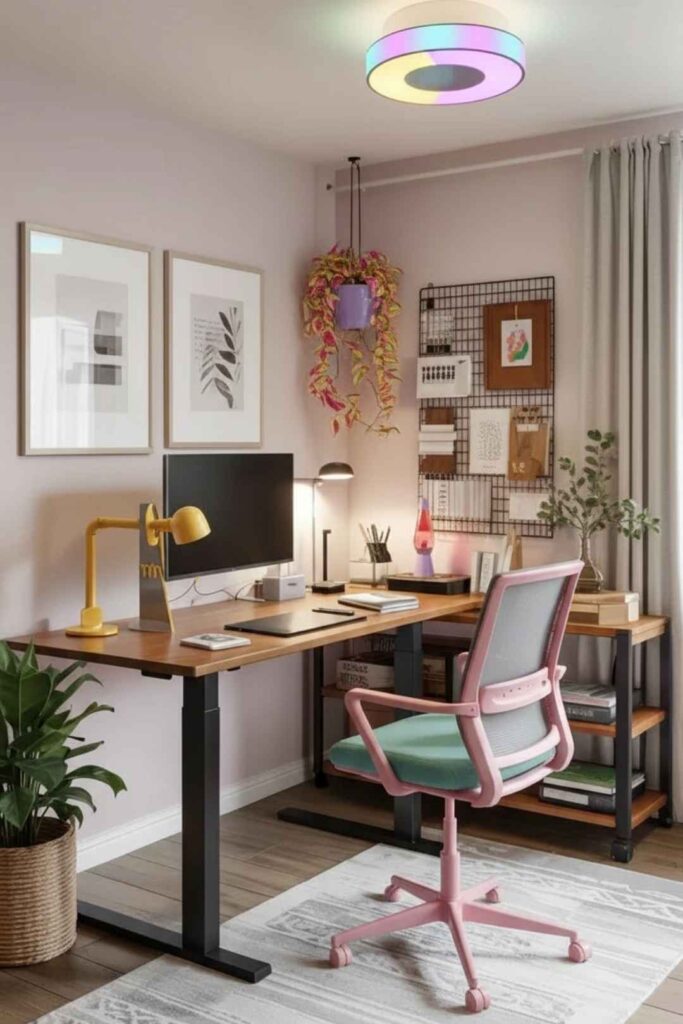
Establish Visual Order With Cable Covers
Visible cable management becomes part of the design.
- Fabric cable sleeves in colors matching the desk or wall
- Charging station visible but organized on desktop or shelf
- Wall-mounted power strips reduce floor clutter
- Match cable cover color to desk legs for seamless integration
Well-managed cables signal attention to detail and elevate the entire room’s polish.
Use a Patterned Rug to Ground the Space
Area rugs define the standing zone and add texture.
- Medium pile (0.5-0.75 inches) provides comfort without tripping hazard
- Geometric or subtle patterns add visual interest
- Extends 12-18 inches beyond the standing area on all sides
- Anti-fatigue properties make standing more comfortable
The rug creates a clear boundary between work zone and rest of room while adding warmth underfoot.
Design Your Wall Backdrop Thoughtfully
What’s behind you matters, especially on video calls.
- Single large art piece or framed print grid above desk height
- Avoid scattered small objects that create distraction at standing eye level
- Floating shelves with minimal styling keep backdrop clean
- One tall plant in corner adds height variation without clutter
The wall backdrop should support your standing presence, not compete with it.
Repeat Materials for Cohesion
Material repetition ties the room together effortlessly.
- Match wood tones across desk, shelves, and frames
- Repeat one metal finish (brass, black, or chrome) throughout
- Echo desktop material in one accessory or storage piece
- Limit to 2-3 materials total for visual calm
Design editors consistently stress this principle—repeated materials make even mismatched furniture look curated.
Save this styling strategy! 📌
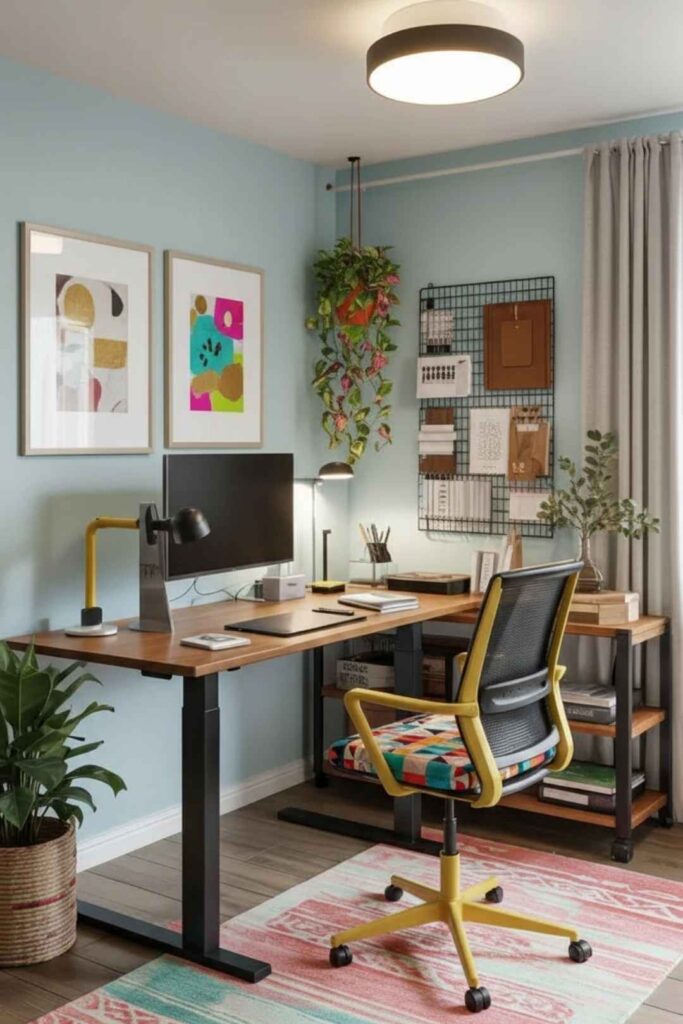
Keep the Desktop Minimal
Clutter is more visible when standing and moving.
- Only daily essentials on the surface (monitor, keyboard, one plant)
- Everything else in drawers or on shelves
- Single organizer tray for pens and small items
- Clear surface at end of day to reset visually
A minimal desktop looks intentional and makes it easier to maintain focus during work.
Choose Two Primary Finishes and One Accent
Limit your material palette for cohesive design.
- Primary finish 1: desktop material (wood, white, stone-look)
- Primary finish 2: frame or legs (black metal, white, chrome)
- One accent: hardware, lamp base, or storage in brass, wood, or color
This three-element approach prevents the room from feeling chaotic while allowing personality.
Layer Your Lighting Thoughtfully
Aesthetic succeeds or fails based on lighting quality.
- Overhead ambient light on dimmer for general illumination
- Task light with warm bulb (2700K) for focused work
- Accent lighting like LED strip under shelf or behind monitor
- Avoid harsh fluorescents that make everything look institutional
Layered lighting creates mood and reduces eye strain while making the room feel finished.
Modern Home Office With Standing Desk Design
Modern standing desk offices start with clean lines and intentional layout—the desk positioned to create a clear work axis, with storage and seating arranged around it for visual balance. This approach doesn’t mean cold or uncomfortable; warm wood details make the space inviting while maintaining that space-saving, functional aesthetic.
Standing height changes your perspective on the room, making wall art placement, shelf height, and visual weight more noticeable. Modern design works best when every element has a clear reason to exist and space to function properly.
Position Your Desk to Create Clear Axis
Desk placement defines the entire room’s organization.
- Center on main wall or perpendicular to window for balanced layout
- Allow 48 inches minimum walking space behind the desk
- Face away from high-traffic areas to minimize distraction
- Create visual alignment with other furniture pieces
The axis creates order that makes the room feel professionally designed rather than randomly arranged.
Select a Stable Frame With Clean Design
Modern standing desks prioritize visual simplicity.
- T-shaped or C-frame legs provide stability without bulk
- Matte powder-coated finishes look more refined than glossy
- Minimal branding on the frame itself
- Cable routing built into legs maintains clean lines
The frame should be structurally sound but visually quiet, letting the desktop and your work take focus.
Pair With a Supporting Task Chair
Even standing setups need proper seating for transition periods.
- Ergonomic chair with modern silhouette in mesh or leather
- Height adjusts quickly to transition smoothly from standing
- Tucks completely under desk when not in use
- Matches room’s color palette (black, gray, or wood tone)
The chair shouldn’t compete with the desk but should coordinate with the overall modern aesthetic.
Pin this modern setup framework! 📌
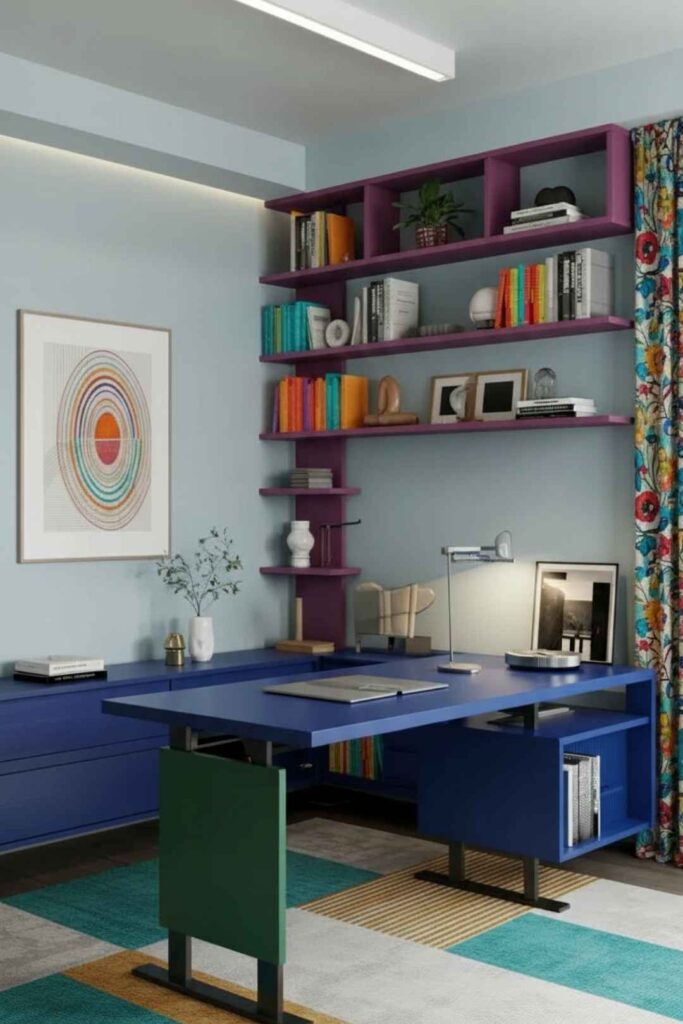
Include Low Storage Units
Modern storage emphasizes horizontal lines and closed fronts.
- Low credenza or cabinet (30 inches high or less) for files and devices
- Closed doors or drawers hide cables and supplies
- Floating or wall-mounted to maximize floor visibility
- Match desk finish for visual continuity
Low storage keeps the room feeling open while providing essential organization.
Use Corner Shelving for Vertical Storage
Corners are often wasted space in modern offices.
- Floating corner shelves utilize vertical space efficiently
- Minimal depth (8-10 inches) keeps them from protruding
- 3-4 shelves maximum to avoid visual heaviness
- Store vertically what would otherwise clutter the desk
Corner storage is especially valuable in narrow rooms where wall space is limited.
Avoid Built-In Converters for Clean Profiles
Converters work functionally but disrupt modern aesthetics.
- Full standing desks provide cleaner surface profiles
- Converter platforms add visual bulk on the desktop
- If using converter: choose minimal design and manage cables meticulously
- Built-in solutions look more permanent and polished
Modern design favors integrated solutions over add-on devices whenever possible.
Mount Power Strips Underneath
Hidden power management is essential for modern clean lines.
- Under-desk mounting keeps power strips completely out of sight
- Cable runs through covers from strip to desktop
- Minimal desktop items means fewer cables to manage
- Surge protector with flat plug fits tighter against walls
Technology should enable work without becoming a visual presence in the room.
Save this modern design checklist! 📌
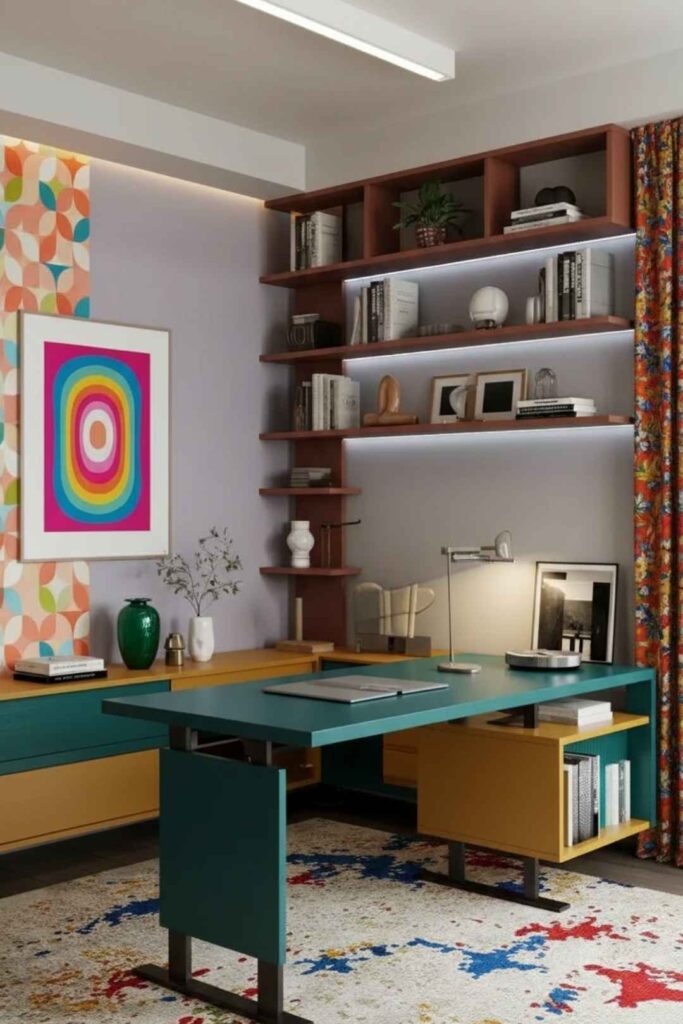
Keep One Wall Largely Open
Negative space is a design element in modern offices.
- Don’t fill every wall with furniture or art
- One accent wall with shelving or art is enough
- Empty walls create breathing room and prevent claustrophobia
- Open space balances the visual weight of the desk
Modern design embraces emptiness as intentional rather than unfinished.
Create a Layout Diagram First
Plan before moving furniture to avoid costly mistakes.
- Sketch room to scale with windows, doors, and outlets marked
- Place desk template in different positions to test options
- Verify standing clearance (minimum 30 inches) behind desk
- Check shelf reach from standing position to avoid elbow bumps
This 15-minute planning exercise prevents hours of furniture rearranging.
Choose Durable Modern Materials
Modern doesn’t mean fragile—select materials built to last.
- Matte laminate resists scratches and water better than glossy
- Solid wood ages beautifully with proper care
- Powder-coated metal withstands daily use without chipping
- Avoid trendy finishes that date quickly
Quality materials in neutral finishes ensure your modern office stays current for years.
Standing Desk Home Office In Front Of Window
Positioning a standing desk in front of a window can be the most energizing layout choice—natural light boosts mood, the view provides mental breaks, and the room feels more open. The challenge is managing screen glare and ensuring your setup remains comfortable throughout the day.
This placement works best when you have a clear view worth capturing and when monitor layout can work with the window height. It also visually enlarges smaller rooms, making this particularly effective for compact home offices.
Manage Screen Glare Strategically
Direct sunlight on monitors makes work impossible.
- Light-filtering shades or curtains diffuse bright light without blocking it completely
- Position monitor slightly below window sill when possible
- Matte screen protector reduces reflective glare
- Adjustable blinds allow control throughout the day as sun moves
Test your setup at different times of day before committing to window placement.
Size Your Desk for Window Width
Desk proportions matter when positioned against windows.
- Match desk width to window width (or slightly narrower) for visual balance
- Leave 6-12 inches on each side for curtain clearance
- Minimum 48 inches wide for comfortable monitor and work surface
- Avoid oversized desks that block window trim or radiators
Proper proportions make the desk look built-in rather than randomly placed.
Position Storage to the Sides
Storage shouldn’t block light or views.
- Narrow cabinets or tall shelving flanking the window
- Corner storage solutions maximize space without blocking light
- Avoid placing storage directly behind you where you can’t reach while standing
- Keep window sill clear except for one small plant on a stand
Side storage maintains the open, airy feeling that makes window placement appealing.
Pin this window placement guide! 📌
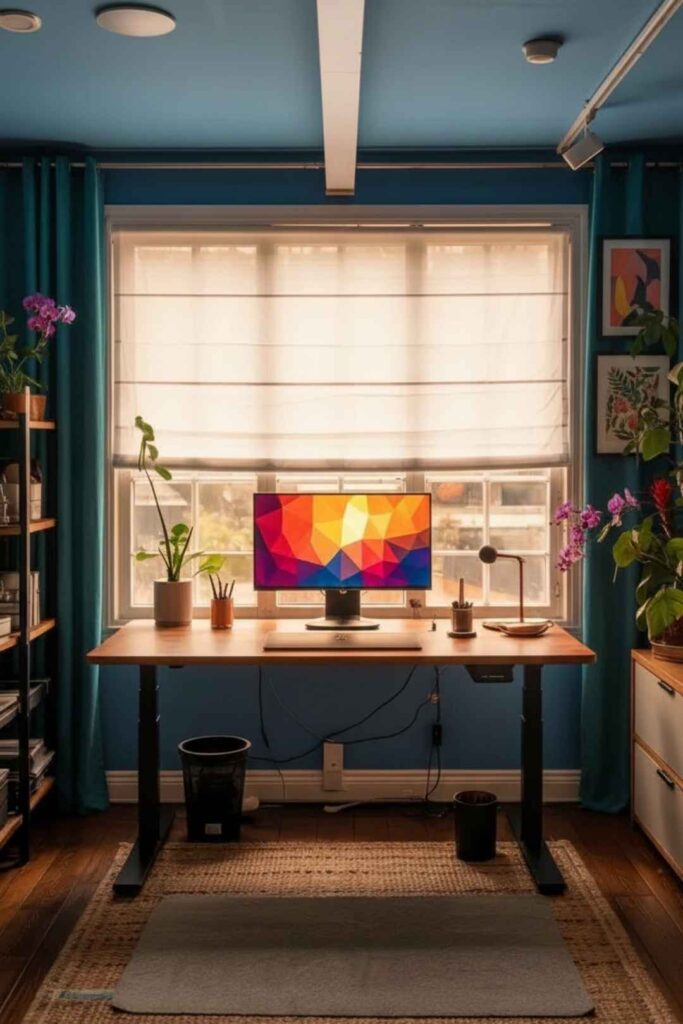
Minimize Window Sill Décor
Less is more when your desk faces the view.
- One small plant on a stand (not on desktop) adds life
- Keep sill mostly clear to maintain clean sightlines
- Avoid clutter that competes with the natural view
- Ensure items don’t block window operation for fresh air access
The view itself is the decoration—additional objects become distraction.
Plan Cable Routes Carefully
Cables are more visible against window light.
- Cable cover or sleeve is essential for vertical runs
- Route cables along window trim where possible
- Avoid cables crossing the window where they create dark lines against light
- Use shortest cables possible to reduce visible length
Cable management is more critical in window setups because backlighting highlights every cord.
Layer Lighting for Evening Work
Window light disappears after sunset—plan accordingly.
- Desk task lamp for focused illumination in evenings
- Floor lamp positioned to the side (not behind you) for ambient light
- Avoid harsh overhead fixtures which create glare on screens at night
- Warm bulbs (2700K) transition the room from daylight to evening gracefully
The lighting plan must work for both bright mornings and dark winter evenings.
Add an Anti-Fatigue Mat
Window views encourage longer standing periods.
- Cushioned mat (0.75-1 inch thick) reduces leg and foot fatigue
- Size to fit standing zone (typically 20×30 inches)
- Beveled edges prevent tripping
- Matches room aesthetic in neutral or natural tones
Comfort underfoot makes you more likely to actually use the standing position regularly.
Save this window setup strategy! 📌
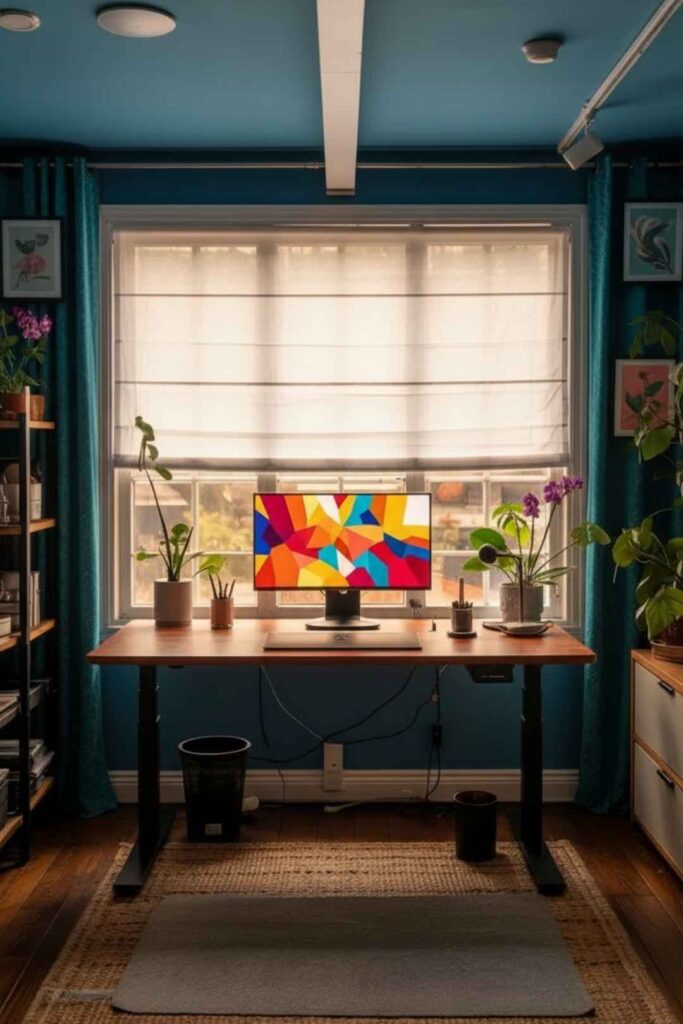
Create a Glare Checklist
Test before committing to window placement.
- Note which direction window faces (east = morning sun, west = afternoon)
- Track sun position during your typical work hours
- Test screen visibility at worst-case glare times
- Determine if matte screen filter is necessary
This testing prevents discovering glare problems after your office is fully set up.
Consider Radiator and Airflow
Windows often have heating or cooling elements underneath.
- Verify desk doesn’t block radiator vents which reduces heating efficiency
- Leave 6 inches clearance above radiators for air circulation
- Ensure window can still open for fresh air
- Test standing position doesn’t put you directly over heat source
Functional concerns matter as much as aesthetic ones in window placements.
Choose Window Treatments Wisely
The right window covering balances light control and style.
- Roller shades for clean, modern look with easy adjustment
- Sheer curtains for diffused light that maintains view
- Roman shades for softer, more traditional aesthetic
- Avoid heavy drapes that block too much natural light
Window treatments should enhance the setup’s benefits while solving the glare challenge.
Simple Home Office Standing Desk Solutions
Simple standing desk solutions work best when you want fewer decisions and less maintenance. This approach uses a single work wall, one storage solution, and one lighting setup—then stops adding complexity.
Simplicity shines in apartments and shared rooms where visual noise needs minimizing. Basic setups are also easier to modify over time without redesigning the entire space.
Choose Between Full Desk or Converter
Start with the foundation that fits your situation.
Full standing desk:
- More stable at all heights
- Cleaner visual profile
- Better long-term investment
- Requires dedicated space
Desktop converter:
- Works with existing sturdy table
- More affordable initially
- Portable between locations
- Adds visual bulk on surface
Both can work in simple setups—choose based on your space commitment and budget.
Limit Storage to One Piece
Multiple storage pieces create visual clutter.
- Two-drawer file cabinet holds essentials without overwhelming
- Small credenza or cabinet if you need more capacity
- Under-desk drawer unit on wheels for flexibility
- Choose closed storage to hide contents completely
One well-chosen storage piece beats three small solutions that create visual chaos.
Keep Desktop to Three Items
Extreme simplicity on the work surface reduces decisions.
- Monitor or laptop stand as the focal point
- Task lamp for necessary lighting
- Single organizer tray for pen, phone, and small items
- Everything else in storage to maintain the clean look
This three-item rule makes maintaining the simple aesthetic effortless.
Pin this simplicity formula! 📌
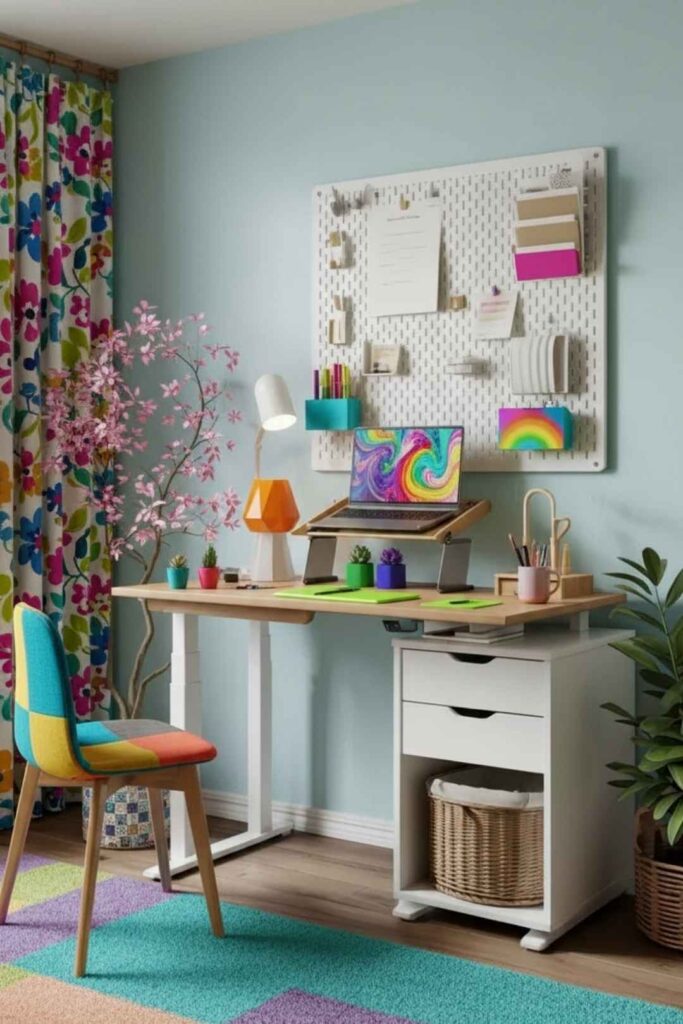
Use White Desk With Neutral Room
White desks amplify light in small or shared spaces.
- White desk surface reflects light and opens the space
- Neutral walls (soft gray, beige, warm white) prevent stark contrast
- Wood or metal accents add warmth without visual weight
- Avoid all-white which can feel sterile—mix in one natural material
White works when balanced with texture and warmth in the surrounding room.
Manage Cables With Leg Cover Only
Simple doesn’t mean sloppy—basic cable management still matters.
- Fabric or plastic leg cover hides vertical cable run
- Minimal desktop items means fewer cables to manage
- Single power strip mounted under desk
- Bundle cables with velcro ties before inserting in cover
One good cable solution beats multiple complicated systems.
Add One Plant and One Storage Basket
Minimal décor that serves function.
- Small plant on shelf or side table (not on desk)
- Corner basket or bin for items that don’t need daily access
- Both in neutral tones that disappear into the room
- No additional decoration needed
These two elements add life and function without creating visual noise.
Develop End-of-Day Reset Habit
Simple setups stay simple through daily routines.
- Clear desktop completely before closing laptop
- Put everything in designated storage each evening
- Takes 2-3 minutes when you have minimal items
- Prevents clutter accumulation that ruins the simple aesthetic
The reset habit is what makes simplicity sustainable long-term.
Save this minimal maintenance routine! 📌
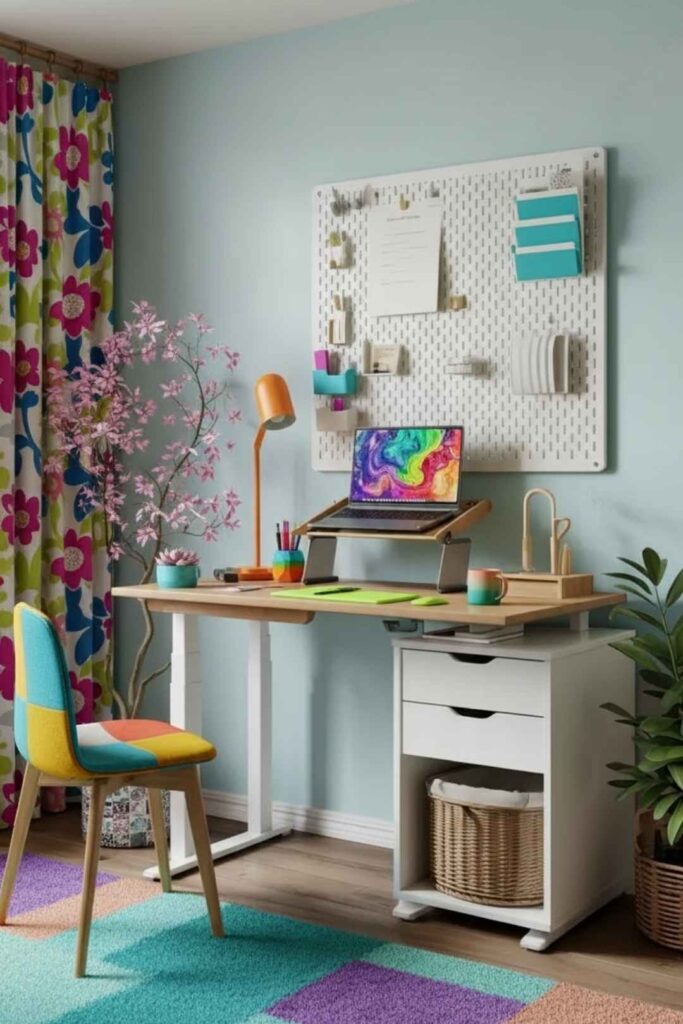
Create a Small-Room Measurement Checklist
Know your space constraints before shopping.
- Minimum desk width based on monitor or laptop size (typically 40-48 inches)
- Cable routing path from desk to nearest outlet
- Storage unit placement that doesn’t block circulation
- Standing clearance (30 inches minimum) behind desk
These measurements prevent buying furniture that doesn’t fit your actual space.
Invest in Basic Ergonomic Accessories
Simple doesn’t mean uncomfortable.
- Foldable laptop stand raises screen to proper height
- Basic monitor riser (6-8 inches high) for external displays
- External keyboard and mouse if using laptop stand
- Anti-fatigue mat for standing comfort
These affordable accessories dramatically improve comfort without adding visual complexity.
Follow the Two-Neutral-Plus-One Rule
Simple color palette for foolproof design.
- First neutral: white, beige, or light gray for walls and desk
- Second neutral: wood tone for warmth and texture
- Plus one accent: black, brass, or muted green in small doses
- No additional colors keeps the palette cohesive
This formula works every time and requires no design expertise to execute well.
Conclusion
Building the right standing desk setup in 2026 isn’t about buying the most expensive adjustable frame or the latest converter gadget—it’s about understanding your body’s needs, your room’s constraints, and your actual work patterns, then creating a flexible system that supports all three without constant friction. Whether you’re designing a dedicated home office with carefully managed aesthetics, positioning your desk to capture energizing window light, embracing modern clean lines with strategic storage, or choosing the simplest possible solution that just works, each approach succeeds because it solves real problems for real people working from home.
The best standing desk setups are the ones you’ll actually use. They include proper ergonomics that prevent pain, cable management that takes minutes to maintain, and aesthetics that make you feel professional rather than apologetic on video calls. Start with the approach that matches your biggest challenge—if it’s health, focus on ergonomics; if it’s space, go simple; if it’s appearance, choose modern or aesthetic integration. Then build it piece by piece: desk first, monitor positioning second, cable management third, storage and lighting last. When you get these fundamentals right, your standing desk stops being an awkward addition to your home and becomes the workspace upgrade that actually transforms how you feel every single day.

“I share simple, beautiful and affordable home decor ideas to help you style every corner of your home with ease.