

Working from home shouldn’t mean sacrificing your living space or settling for a setup that makes you uncomfortable every single day. Whether you’re trying to carve out a productive corner in a tiny apartment, fit a desk into your bedroom without destroying the peaceful vibe, or create a workspace in your living room that doesn’t scream “office,” the struggle is real. You need a desk that actually works for your body, your space, and your life—not just something that looked good in someone else’s Pinterest board.
That’s why I’m walking you through five essential computer desk approaches for 2026 that solve real problems in real homes. These aren’t just pretty concepts—they’re practical solutions for small spaces, bedrooms that need to stay restful, living rooms that serve multiple purposes, aesthetically-minded setups that still function beautifully, and DIY options for people who want exactly what they need. By the end, you’ll know exactly how to create a workspace that supports your productivity, fits your space, and actually feels good to use every day.
Smart Computer Desk Ideas For Small Spaces
Small spaces demand furniture that works harder and smarter than average pieces. Your desk needs to maximize every inch without making your room feel cramped, cluttered, or claustrophobic. The key is thinking vertically, choosing multi-functional pieces, and being ruthless about what actually deserves space.
Wall-Mounted Floating Desks Change Everything
Floating desks eliminate the visual and physical bulk of traditional legs.
- Shallow depth options: 16-20 inches provides enough workspace while keeping walkways clear
- Creates floor space: Uninterrupted flooring makes rooms feel significantly larger
- Customizable height: Mount at the perfect ergonomic height for your body
- Clean aesthetic: No legs means easier cleaning and a lighter visual appearance
Choose sturdy brackets rated for at least 100 pounds to safely support your equipment plus arm weight when leaning. This isn’t the place to cheap out on hardware.
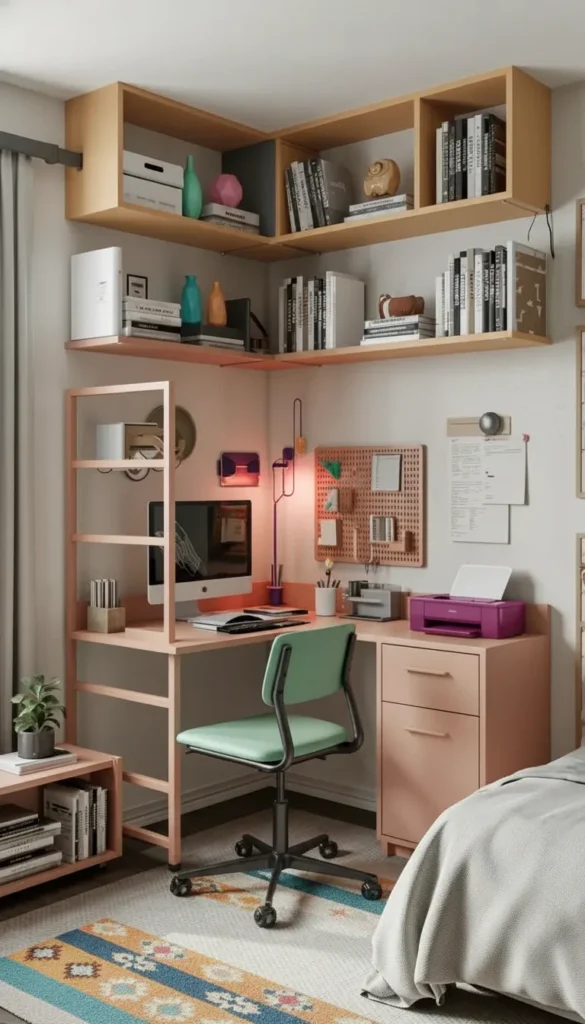
Corner Desks Maximize Awkward Spaces
That empty corner that’s too small for furniture? Perfect for a compact workstation.
L-shaped corner desks create a work triangle that keeps your keyboard, monitor, and notebook all within comfortable reach without requiring excessive desktop depth.
Wrap-around designs use wall space on two sides, giving you surprising surface area in a footprint that would otherwise go unused.
Built-in corner solutions with shelving above create vertical storage that doesn’t eat into your limited floor space.
Measure both walls before ordering. Many corner desks look compact in photos but require 48+ inches on each wall to function properly.
Ladder Desk Systems Combine Storage and Surface
These lean-against-the-wall designs offer workspace plus organization in one compact unit.
- Vertical storage: Shelves above the desk hold books, supplies, and decor without requiring additional furniture
- Small footprint: Typically 24-30 inches wide, fitting spaces where traditional desks won’t
- Easy relocation: Lighter than traditional desks, easy to move when rearranging
- Affordable options: Often less expensive than desk-plus-bookshelf combinations
Look for models with a deep enough desktop (at least 18 inches) to comfortably hold a laptop and mouse. Some ladder desks prioritize looks over function with surfaces too shallow for actual work.
📌 Pin this small space desk solution! 📌
Adjustable Sit-Stand Compact Bases
Health matters even in tiny spaces—maybe especially in tiny spaces where movement is already limited.
Compact electric bases start around 42 inches wide, perfect for small rooms while still supporting ergonomic position changes throughout the day.
Manual crank options cost less and require no outlets, ideal for spaces where power access is limited.
Desktop risers convert existing surfaces into adjustable workstations if you can’t commit to a full standing desk.
Standing for even 15-30 minutes every few hours improves circulation, reduces back pain, and increases energy levels during long work sessions.
Smart Under-Desk Storage Solutions
Every inch of vertical space under your desk is valuable real estate.
Soft-close drawer units on wheels provide substantial storage while tucking completely under your desk when not needed. Look for units 15-18 inches deep that won’t protrude beyond your desktop edge.
Rolling file cabinets can double as printer stands, keeping devices accessible but off your primary work surface.
Hanging organizers attach to the desk underside, holding cables, small supplies, and accessories without consuming any floor space.
Slim pedestal drawers (as narrow as 12 inches) fit tight spaces while still offering meaningful organization for essentials.
Cable Management Makes or Breaks Small Setups
Visible cords create visual clutter that makes small spaces feel even more cramped.
- Cable trays: Mount under the desk to contain power strips and excess cord length
- Adhesive raceways: Route cables along desk legs and walls cleanly
- Single charging hub: Consolidates multiple devices to one power source
- Velcro ties: Keep cables bundled and organized, not tangled on the floor
Proper cable management isn’t just aesthetic—it’s also safer and makes cleaning dramatically easier.
Fold-Down Desks Disappear When Not Needed
Ultimate space savings come from furniture that vanishes entirely.
Wall-mounted fold-down desks swing up against the wall, secured with simple latches. Your home office transforms into an empty wall when work ends.
Murphy desk systems integrate storage cabinets that close over the entire workspace, hiding everything from view.
Drop-leaf desk options reduce to narrow console tables (8-12 inches deep) when folded, maintaining a furniture presence without workspace bulk.
Test the folding mechanism repeatedly before buying. It should operate smoothly with one hand—if it’s difficult or sticky, you won’t use the feature regularly.
Measuring Before You Buy
The biggest mistake in small space furniture is buying before measuring comprehensively.
Confirm these dimensions before ordering anything:
- Desk footprint plus clearance: Allow 30 inches behind the chair for pushing back and standing
- Door swing paths: Ensure doors open fully without hitting desk or chair
- Outlet accessibility: Can you reach power without extension cords snaking across floors?
- Adjacent drawer/cabinet clearance: Will you be able to open nearby storage with the desk in place?
Use painter’s tape on the floor to mark your desk dimensions and live with the layout for a day before committing.
📌 Save this compact workspace planning guide! 📌
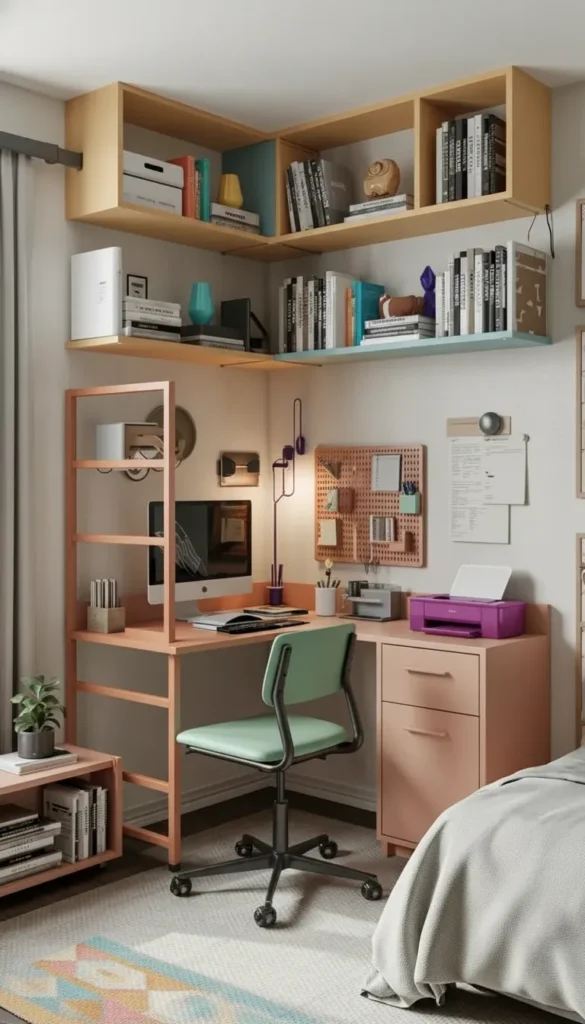
Bedroom Computer Desk Ideas That Feel Integrated And Cozy
Integrating a workspace into your bedroom requires special care—this room needs to support rest, not just productivity. The desk should feel like a natural part of your bedroom’s calm atmosphere, not an office intruding on your sanctuary.
Placement Strategy for Bedroom Harmony
Where you position your desk affects both function and sleep quality.
Near natural light but away from bed sightlines: You want daylight for working but shouldn’t see your work when lying in bed. Position the desk perpendicular to the bed or behind the headboard wall when possible.
Consider window glare carefully: Screen glare from windows makes work uncomfortable. Test the position at different times of day before committing.
Maintain clear pathways: Keep at least 30 inches between desk and bed for comfortable movement, especially important for early morning navigation.
Visual separation helps your brain distinguish work mode from rest mode, even in the same physical space.
Vanity-Style Desks Serve Double Duty
These pieces naturally belong in bedrooms and serve multiple purposes.
- Slim profiles: Typically 16-20 inches deep, fitting tight bedroom layouts
- Built-in storage: Drawers designed for beauty supplies work equally well for office supplies
- Familiar bedroom aesthetic: Looks like bedroom furniture, not office equipment
- Multiple uses: Makeup application in morning, work during day, evening journaling
Choose a comfortable chair that suits both computer work and personal grooming tasks—ideally with adjustable height and good lumbar support.
Closet Desk Conversions Hide Work Completely
Transform unused closet space into a compact office that disappears behind doors.
Remove hanging rods and install a desktop at proper height (28-30 inches for most people). Add a floating shelf above for monitor elevation and storage.
Keep doors functional so you can close the workspace at day’s end, physically and mentally separating work from rest time.
Maximize vertical wall space inside the closet with pegboards, magnetic strips, or small shelving for supplies and accessories.
Ensure adequate lighting and ventilation: Add a clip-on or adhesive light, and don’t block air vents. Heat buildup from computers matters in confined spaces.
📌 Pin this bedroom workspace integration strategy! 📌
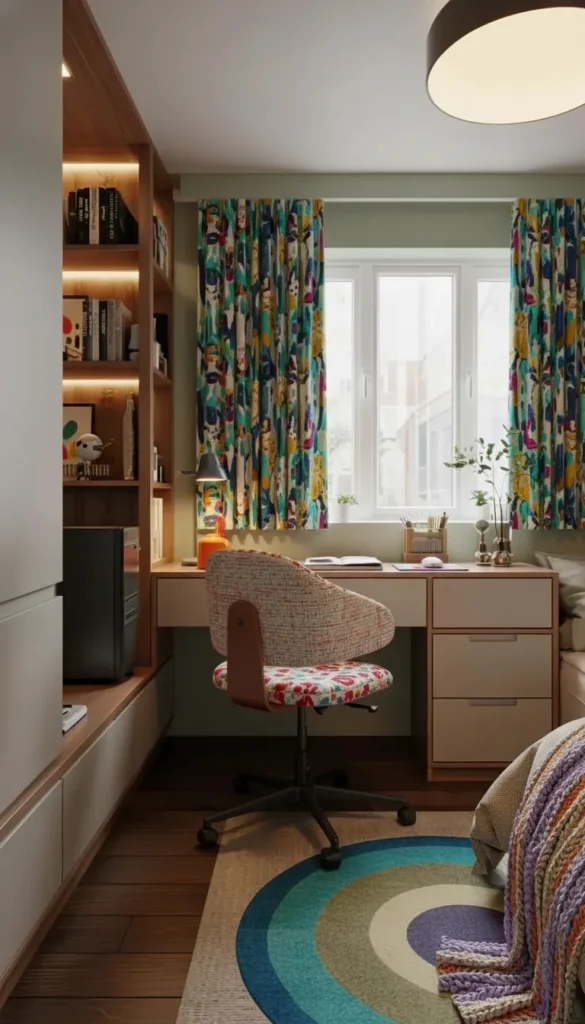
Furniture Materials That Support Rest
Material choices significantly impact whether your bedroom workspace feels calming or disruptive.
Warm wood tones (oak, walnut, natural maple) create cohesion with typical bedroom furniture and feel softer than industrial materials.
Matte finishes reduce glare from screens and windows—essential for comfortable working and better for the restful bedroom aesthetic.
Upholstered chairs in bedroom fabrics: Match or complement your bedding textiles so the chair feels like part of the bedroom, not a foreign office element.
Avoid cold materials: Glass, chrome, and high-gloss surfaces feel too clinical for bedrooms. Save these for dedicated office spaces.
Smart Tech Storage for Bedroom Peace
Computer towers, routers, and cables destroy bedroom serenity when visible.
Ventilated cubbies with doors hide PC towers while allowing necessary airflow. Ensure at least 2-3 inches of clearance on all sides for heat dissipation.
Cable boxes with lids corral power strips and excess cables in one contained, hidden spot that’s still accessible when needed.
Closed drawer for daily tech: Phone chargers, headphones, external drives—everything that’s currently on your desk creating visual noise.
Monitor arms mount screens to the wall or desk edge, freeing up surface space and reducing the equipment’s visual presence.
Out of sight truly is out of mind when trying to wind down for sleep.
Lighting Separation Creates Mental Boundaries
Different lighting for work versus rest helps your brain switch modes.
Focused task lighting at the desk: A clamp lamp or small desk lamp provides bright light for work without illuminating the entire bedroom.
Ambient bedroom lighting: Soft overhead or bedside lamps for evening relaxation should be separate from work lighting.
Avoid blue-light spectrum after work: Switch to warm bulbs (2700K) in evening fixtures to support natural sleep rhythms.
Consider blackout solutions: If your monitor glows at night, a small curtain or screen can block light pollution from your sleep zone.
Minimalist Desktop Protocol
Clear surfaces contribute to mental clarity, especially important where you sleep.
Keep only these items on your bedroom desk:
- Laptop or monitor (on an arm if possible)
- Keyboard and mouse
- One small tray for daily essentials (pen, notepad, lip balm)
- Optional: One small plant or object that brings joy
Everything else lives in drawers or on shelves. Your desk should reset to this minimal state at the end of each work day.
Sound Dampening Details
Bedroom-office spaces need acoustic softening for comfort and to avoid disturbing others.
Area rug under desk chair: Reduces rolling noise and adds warmth underfoot, particularly important on hard flooring.
Felt pads on furniture: Prevents scraping sounds when moving chairs or adjusting position.
Fabric window treatments: Curtains or roman shades absorb sound better than blinds and reduce echo in hard-surfaced rooms.
Keyboard with quiet switches: Mechanical keyboards sound cool but can be disruptive in bedrooms, especially if you work while others sleep.
These small details maintain the bedroom’s peaceful atmosphere even during work hours.
📌 Save this restful bedroom office approach! 📌
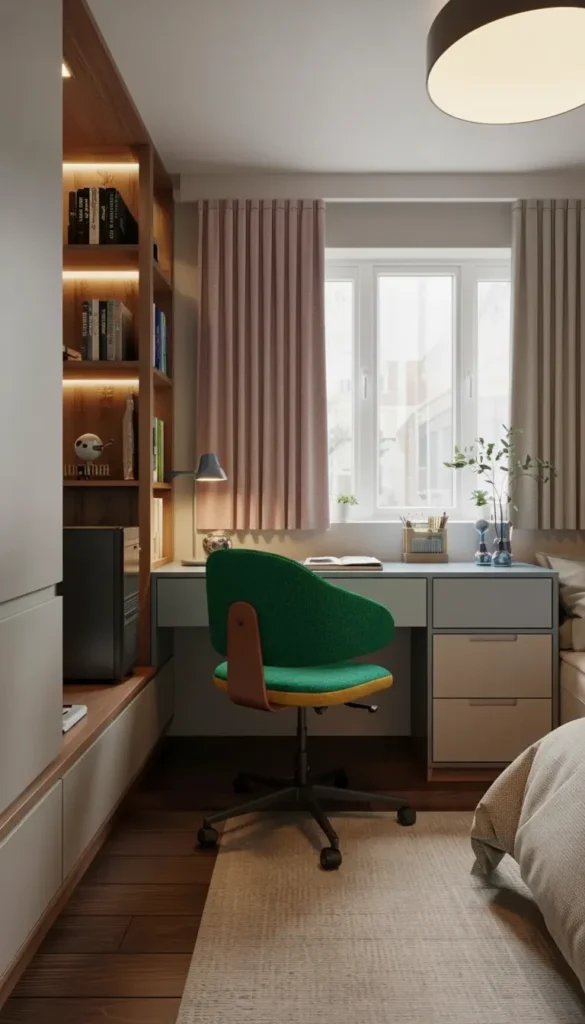
Computer Desk Ideas In The Living Room That Blend Seamlessly
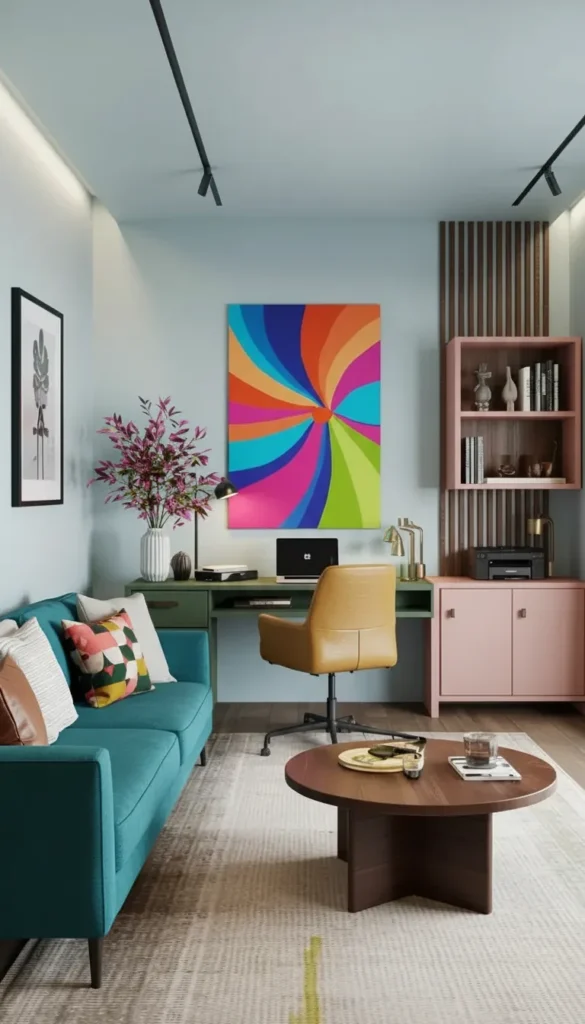
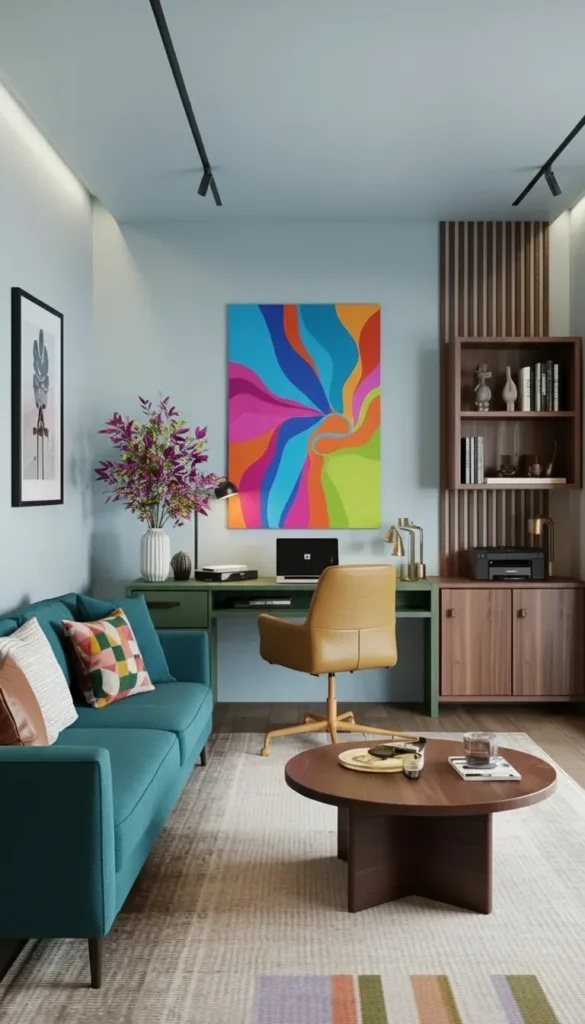
Living room workspaces succeed when they look like intentional furniture choices, not afterthought office equipment. Your desk needs to complement your decor style while supporting productivity without dominating the space or announcing “WORK ZONE” to everyone who enters.
Console Desk Behind the Sofa
This placement is brilliant for open-concept homes and maximizes otherwise-unused space.
Sofa-height consoles (30-36 inches) work as both workspace and display surface, visible from the seating area but not intrusive.
Deep enough for laptops and monitors (20-24 inches) provides functional workspace while maintaining the console aesthetic.
Matches living room furniture: Choose finishes that coordinate with your coffee table, media console, or other living room pieces for cohesion.
Creates room definition: Acts as a subtle divider in open layouts without blocking sight lines or light.
Ensure your sofa sits 4-6 inches from the wall to accommodate the console depth plus a few inches for cables and ventilation.
Secretary Cabinet Desks Hide Everything
These traditional pieces are experiencing a modern resurgence for excellent reasons.
- Closed appearance: When shut, it’s an attractive cabinet—no one knows it contains a workspace
- Built-in organization: Interior shelves and cubbies keep supplies tidy and contained
- Multiple style options: Available in modern, traditional, rustic, and contemporary designs
- Compact footprint: Often narrower than traditional desks while offering surprising interior space
Look for models with interior charging stations and cable management built in—modern versions accommodate tech needs while maintaining classic aesthetics.
Window Wall Desks with Built-In Shelving
Natural light makes any workspace better, and unused window walls are prime real estate.
Full-wall integration with surrounding shelving creates a custom built-in look even with standalone furniture pieces.
Matches existing trim and molding: Painting the desk and shelves the same color as your trim makes them feel architectural, not furniture.
Maximizes vertical space: Floor-to-ceiling shelving provides substantial storage without consuming additional floor space.
Gallery wall potential: Display books, art, plants, and decorative objects mixed with work supplies for a curated, living-room-appropriate look.
Position your monitor perpendicular to windows when possible to minimize screen glare while still benefiting from natural light.
📌 Pin this living room desk integration method! 📌
Furniture Finish Coordination
Your desk should look like it belongs with your existing pieces.
Match wood tones: If your coffee table is walnut, choose a walnut desk. If your media console is oak, repeat that warmth.
Coordinate metal finishes: Desk hardware should complement your light fixtures, curtain rods, and other metallic accents. Mix no more than two metal finishes in visible areas.
Consider leg styles: Hairpin legs work with mid-century living rooms, turned legs suit traditional spaces, clean metal legs fit contemporary interiors.
Paint matching: Painted desks should pull from your existing color palette—maybe matching an accent wall or complementing upholstery.
Chair Selection That Doesn’t Scream Office
The chair often betrays living room desks as workspaces—choose carefully.
Upholstered accent chairs can double as desk seating if you verify seat height (16-18 inches typically) and confirm adequate lumbar support for extended sitting.
Dining chairs work beautifully if they’re comfortable enough for longer work sessions. Many modern dining chairs offer surprising ergonomic support.
Attractive task chairs exist: Look for office chairs in fabrics and colors that complement living room aesthetics rather than industrial mesh designs.
Cushions bridge the gap: If your perfect living room chair is slightly uncomfortable for work, a good seat cushion may solve the problem.
Test any chair by sitting for at least 15 minutes before committing. Your back will thank you.
Hidden Tech Storage Strategies
Living rooms should feel inviting, not tech-cluttered.
Low credenzas with pullout shelves hide printers, routers, and external drives while keeping them accessible. The closed door maintains the living room aesthetic.
Closed baskets on nearby shelving contain cables, chargers, and other ugly necessities while looking like intentional decor.
Cable management boxes corral power strips and excess cords in attractive containers that blend with living room decor.
Monitor position: Single wide monitors create cleaner sight lines than multiple screens. If you need dual monitors, use matching models and slim mounting arms.
Desktop Styling for Shared Spaces
Your desk surface should look curated, not chaotic.
- One plant: Choose a size proportional to your desk—not so large it dominates, not so small it looks lost
- One tray or catchall: Contains pens, small supplies, and daily essentials in one defined spot
- One lamp: A table lamp that looks living-room appropriate, not industrial task lighting
- Maybe one personal object: A favorite framed photo, small sculpture, or beautiful object—not a collection
That’s it. Everything else lives in drawers or closed storage. Your desk should pass the “quick guest visit” test at all times.
Zoning with Rugs and Lighting
Define your workspace subtly without building walls.
Area rug under desk zone: A 5×7 or 6×9 rug creates visual separation between work area and relaxation areas while absorbing sound.
Dedicated task lighting: A desk lamp with adjustable brightness creates a workspace pool of light separate from living room ambient lighting.
Maintain living room comfort: Don’t let office ergonomics override living room coziness. The space still needs to feel inviting for everyone using it.
Consider traffic patterns: The desk should sit slightly off the main walking paths through the living room, not directly in the flow.
📌 Save this seamless living room workspace guide! 📌
Aesthetic Computer Desk Ideas For A Stylish Setup
Aesthetic desk setups in 2026 balance beauty with function—they photograph well but still support real productivity. These spaces have personality and visual appeal while maintaining the organization and ergonomics necessary for extended work sessions.
Choosing Your Aesthetic Direction
Define your style first, then make consistent choices that support it.
Soft neutrals with curves: Rounded desk edges, warm woods, cream and beige tones, sculptural accessories create approachable contemporary aesthetics.
Modern Japandi: Low-profile desks, natural materials, minimal color palette, emphasis on negative space and intentional object placement.
Warm industrial: Matte black metals, warm wood tops, Edison bulbs, leather accents create sophisticated urban aesthetics.
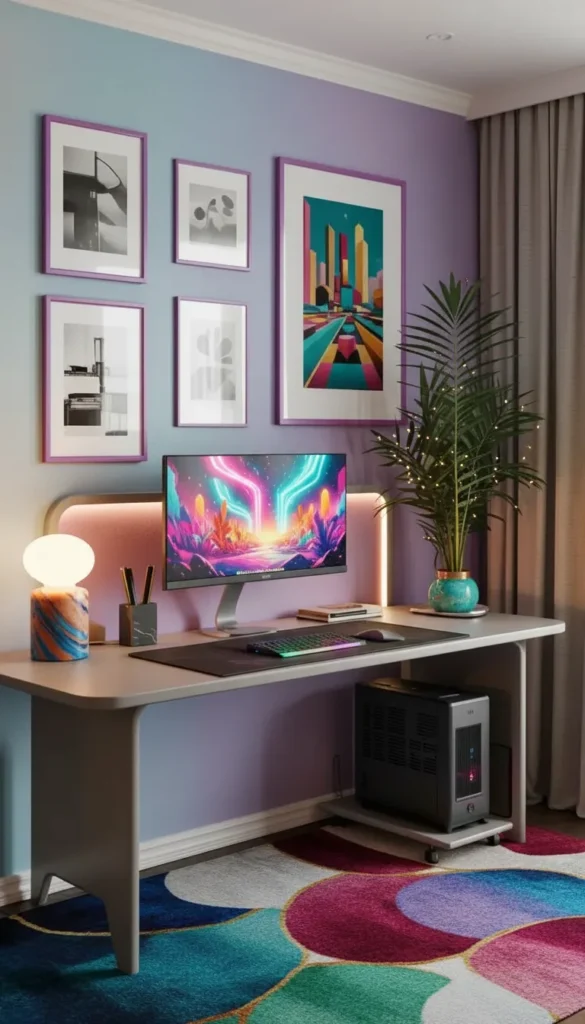
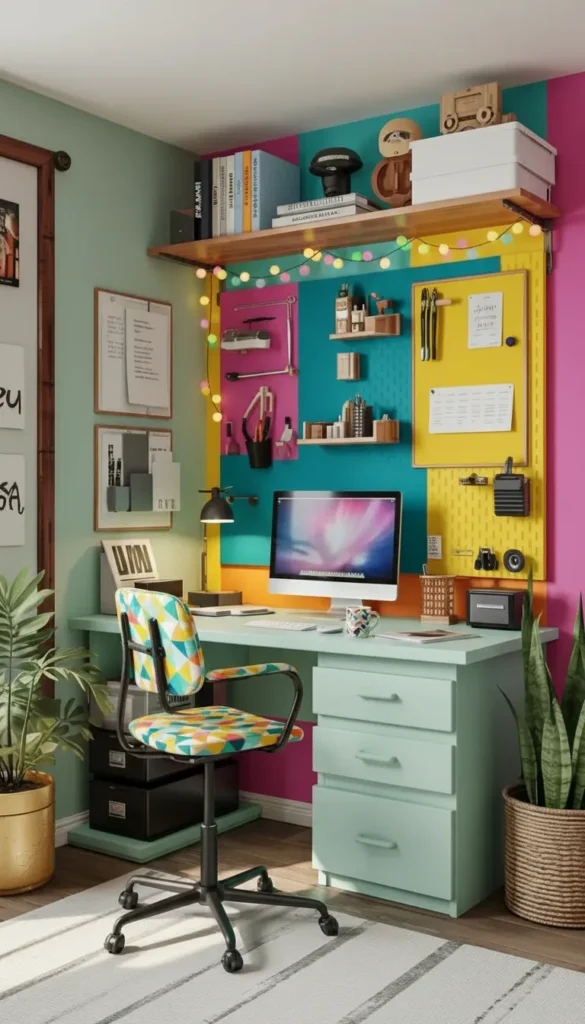
Colorful maximalist: Bold accent walls, patterned desk mats, vibrant accessories, personality-packed gallery walls above the workspace.
Commit to one direction. Mixing aesthetic languages creates visual confusion rather than curated style.
The Clean Lines Foundation
Aesthetic setups start with beautiful, minimal furniture.
Slim desktop profiles (under 1.5 inches thick) maintain visual lightness. Chunky, heavy tops work against most modern aesthetics.
Rounded or beveled edges soften the geometry and feel more contemporary than sharp 90-degree corners.
Hidden cable channels built into desk legs or undersides are essential—visible wires destroy otherwise beautiful setups.
Minimal hardware: Fewer visible screws, brackets, and mechanical elements create cleaner lines and more sophisticated appearance.
The desk itself should be beautiful enough to enjoy even without any styling.
Large Desk Mats Transform the Surface
This single addition dramatically upgrades desk aesthetics.
- Leather mats: Develop patina over time, feel premium, absorb sound from keyboards
- Felt mats: Softer acoustic dampening, available in many colors, more affordable than leather
- Extended sizing: Large mats (36×17 inches or bigger) protect the desktop while unifying the workspace visually
- Stain resistance: Choose materials that handle coffee spills gracefully—you will spill coffee
The mat creates a defined work zone on your desktop while adding texture and visual interest.
📌 Pin this aesthetic desk foundation! 📌
Layered Lighting Creates Depth
Multiple light sources at different levels separate amateur setups from professional-looking spaces.
LED strip behind monitor: Creates a soft glow that reduces eye strain from screen contrast while adding atmospheric depth to photos.
Sculptural table lamp: Provides adjustable task lighting while serving as a beautiful object. Choose designs with dimming capability.
Overhead or wall-mounted accent lighting: If your desk area has dedicated overhead lighting, choose warm bulbs (2700K-3000K) that enhance rather than flatten the space.
Natural light optimization: Position your desk to benefit from window light without creating glare. Sheer curtains diffuse harsh direct sunlight beautifully.
Good lighting makes everything look better while reducing eye strain during long work sessions.
Tech That Looks Intentional
Your equipment should feel like considered choices, not random purchases.
Monitor selection: If buying new, choose models with slim bezels and attractive stands. Alternatively, use monitor arms to float screens elegantly.
Keyboard and mouse aesthetics: Wireless options eliminate cables. Consider color coordination—all white, all black, wood and metal combos, or colorful accent pieces.
PC tower placement: If visible, choose a case with clean lines. Elevate it on a small stand (keeps it dust-free and looks intentional) or hide it completely in a ventilated cabinet.
Cable color matching: White cables for white setups, black for dark setups. This small detail makes surprising visual difference.
Plant Selection and Placement
Living elements soften tech-heavy spaces and improve air quality.
Tall floor plants: Fiddle leaf fig, snake plant, or olive trees add vertical interest beside or behind desks without consuming surface space.
Desktop plants: Small pothos, succulents, or air plants in attractive planters bring life to the workspace without overwhelming the surface.
Consider light requirements: Match plant needs to your actual light conditions—no point choosing plants that will struggle and look sad.
Appropriate scale: One large plant or 2-3 small plants maximum. More becomes visual clutter rather than intentional style.
Color Coordination Strategy
Cohesive color palettes make spaces feel curated and intentional.
Choose 2-3 colors maximum: One neutral base (white, black, wood tone), one supporting color, one optional accent.
Repeat colors throughout: If your desk mat is terracotta, echo that in a plant pot, artwork, or small accessories.
Vary intensity and saturation: Mix deeper and lighter versions of your chosen colors for dimension without complexity.
Metal finish consistency: Stick to one metal finish (brass, black, chrome, brushed nickel) throughout all visible hardware and accessories.
Minimalist Desktop Discipline
The hardest part of aesthetic setups is maintaining them.
Keep only these items visible on your desk:
- Monitor(s) on arms when possible
- Keyboard and mouse on a unified mat
- One small tray for daily essentials (3-5 items max)
- One sculptural object or plant
- One lamp
Store everything else. Your desk should return to this clean state at the end of each day. If resetting takes more than 60 seconds, you have too much out.
Storage That Disappears
Aesthetic spaces require substantial hidden storage.
Drawer units under desk: Keep supplies, cables, chargers, and paperwork completely out of sight while remaining easily accessible.
Wall-mounted cabinets: Shallow (8-12 inch) cabinets above or beside desks store reference materials and supplies without consuming floor space.
Decorative boxes: One or two beautiful boxes on shelving can hold miscellaneous items while looking intentional rather than cluttered.
Closed solutions preferred: Open shelving requires constant curation to look good. Closed storage lets you be human while maintaining aesthetics.
📌 Save this stylish workspace approach! 📌
DIY Computer Desk Ideas For Creative Homes
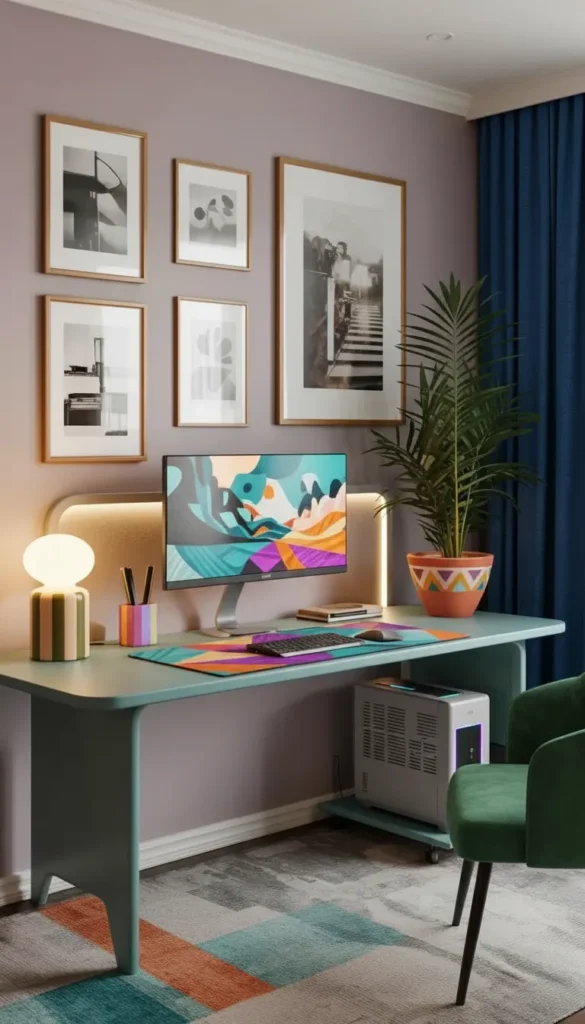
DIY desks let you create exactly what you need at the size you need, with better materials than budget furniture, often for less money. Success requires planning, proper measurements, and realistic assessment of your skills and available tools.
Butcher Block on Drawer Base Combinations
This is one of the most successful DIY desk approaches for good reason.
Pre-finished butcher block tops are available at home improvement stores in multiple sizes. They’re durable, beautiful, and ready to use immediately.
Two matching drawer units (from IKEA or similar) provide substantial storage while supporting a desktop up to 74 inches long between them.
No complex joinery required: Simply place the countertop on the bases—gravity and weight hold it in place. Add brackets if you want extra security.
Professional appearance: Looks like custom furniture, costs a fraction of comparable retail pieces, offers real wood character.
Verify that drawer units are the same height and level before placing your top—even small variations become annoying.
Pipe and Wood Industrial Desks
Perfect for small spaces and adjustable layouts.
- Customizable dimensions: Cut pipes to your exact needed length for perfect fit
- Industrial aesthetic: Black iron pipes with warm wood create popular modern industrial look
- Adjustable height: Simply swap pipe lengths to change desk height
- Relatively lightweight: Easier to relocate than solid wood desks
Critical tip: Apply thread-lock compound to pipe connections—they will loosen over time with normal desk movement otherwise.
Use pre-finished wood or apply several coats of polyurethane. Raw wood stains from hand oils, coffee rings, and daily wear remarkably quickly.
Wall-to-Wall Ledge Desks Maximize Small Rooms
When floor space is precious, go wall-mounted and stretch the full available width.
Continuous desktop spanning an entire wall (or corner to corner) provides surprising workspace in tight rooms without consuming floor area.
Single center support bracket plus strong wall anchors typically suffices for desktops under 60 inches. Longer spans need additional support every 36-48 inches.
Customizable depth: Make it exactly as deep as your space allows—16 inches for ultra-compact, 24 inches for comfortable two-monitor setups.
Hidden cable channels: Route power and data cables through wall-mounted raceways before installing the desktop for clean results.
📌 Pin this DIY desk building approach! 📌
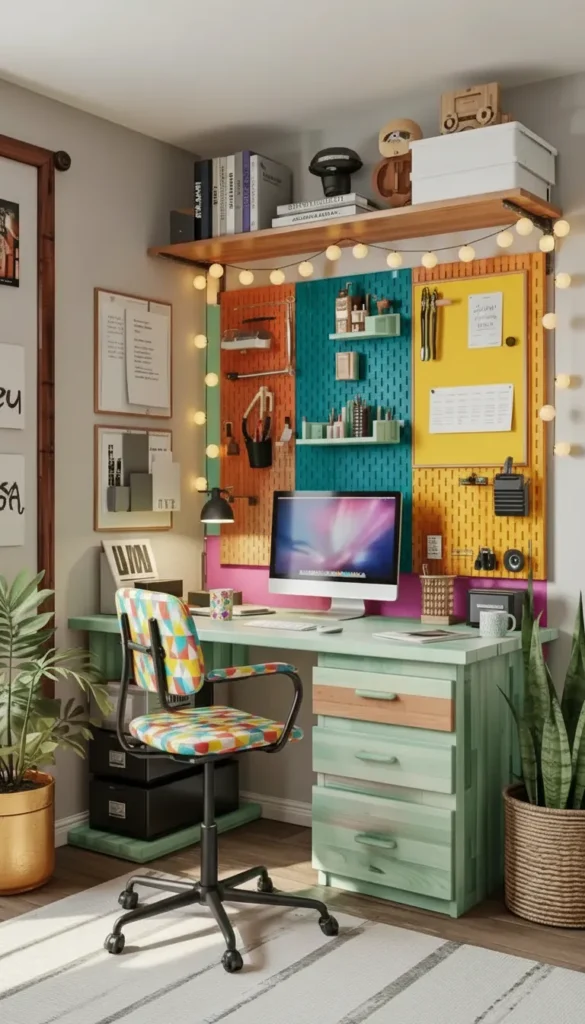
Fold-Down Wall-Mounted Desks
Ultimate space savings require slightly more complex building.
Heavy-duty folding brackets rated for at least 100 pounds are essential. Cheap brackets fail quickly and dangerously.
Rigid desktop material: Solid wood or quality plywood—avoid particleboard which sags with repeated folding cycles.
Wall stud mounting mandatory: These desks create significant leverage forces. Drywall anchors alone will fail catastrophically.
Add a small latch or magnet to hold the desktop against the wall when folded—prevents accidental falling and protects the finish.
Ergonomic Planning Before Building
The biggest DIY mistake is building first, measuring body ergonomics second.
Seated elbow height = desktop height: Sit in your chair with feet flat and arms at 90 degrees. Measure from floor to elbow—that’s your ideal desk height (usually 28-30 inches for most people).
Monitor height matters: Top of your screen should be at or slightly below eye level when sitting upright. Plan for monitor stands or arms during the design phase.
Keyboard and mouse position: Should allow your wrists to stay neutral (not bent up or down) when typing. Some people need keyboard trays lower than the desktop.
Legroom clearance: Ensure at least 24 inches width and 12 inches depth underneath for comfortable leg positioning and chair movement.
Material Selection for Durability
Your material choices determine how well your desk ages.
Hardwood plywood (birch, oak) offers strength and beauty at moderate cost. Requires edge banding or trim for finished appearance.
Solid hardwood looks beautiful and lasts forever but costs more and requires experience working with wood movement and joinery.
Pre-finished countertops: Butcher block, bamboo, and laminate countertops come ready to use and typically cost less than finishing raw materials yourself.
Avoid particleboard: It sags over time, can’t handle weight, and doesn’t hold screws well for hardware mounting.
Cable Management Planning
Design wire routing before building—retrofitting is harder.
Desk leg raceways: Route cables through hollow legs or add clips/channels along solid legs.
Desktop grommet holes: Drill 2-3 inch holes for cable pass-through near the back edge where your monitor sits.
Under-desk cable tray mounting: Install a wire basket or channel underneath before placing the desk against the wall for easier access.
Power strip mounting location: Decide where your power strip lives and how cables reach it before finalizing desk position.
Finishing Touches That Signal Quality
These details separate amateur DIY from professional-looking builds.
- Edge sanding: Thoroughly sand all edges to 220 grit minimum—sharp edges are uncomfortable and look unfinished
- Finish coats: Three coats of polyurethane minimum for durability, light sanding between coats
- Leveling: Use adjustable feet or shims—even small unlevel desks feel wrong and look amateur
- Hidden fasteners: Countersink screws and fill holes, or use brackets positioned on hidden surfaces
Ventilation for electronics: If building cubbies for PC towers, ensure adequate airflow with vented backs or sides.
Testing Before Finalizing
Dry-fit everything before making permanent.
Assemble without glue first: Live with the layout for a day or two, make adjustments, then commit to permanent assembly.
Verify all measurements in the actual room with actual equipment: Check door swings, outlet access, drawer clearances, and walking paths.
Load testing: Gradually add weight to ensure brackets, supports, and joints handle your equipment plus some margin for safety.
Make adjustments easily: Small changes in height, depth, or position are easy now, nearly impossible after finishing and installation.
📌 Save this custom desk building guide! 📌
Conclusion
Your workspace affects everything—your productivity, your posture, your mood, and your daily comfort. A poorly planned desk creates frustration every single time you sit down, while a thoughtfully designed workspace supports focus, creativity, and wellbeing naturally. Whether you’re working with a tiny apartment corner, a bedroom that needs to stay restful, a living room that serves multiple purposes, an aesthetic vision you’re determined to achieve, or a DIY spirit and some basic tools, the right desk solution exists for your situation.
These five approaches give you concrete starting points for creating a workspace that truly works for your space, your needs, and your life in 2026. Take the measurements seriously, plan for cable management from the start, prioritize ergonomics alongside aesthetics, and don’t compromise on the fundamentals just because you’re working with challenging constraints. Your desk should make your work life easier and your space more beautiful—with the right approach, you can absolutely have both.

“I share simple, beautiful and affordable home decor ideas to help you style every corner of your home with ease.